I recently participated in a company hackathon where the challenge was to create a work-related system incorporating AI. My goal was to develop a deep learning neural network for a new feature in our system. Since the feature was new, we needed to generate training data. Given the tight three-day timeframe, we utilized Large Language Models (LLMs) to produce thousands of data points, which we then manually pruned.
During this data generation phase, my colleagues and I had a productive discussion comparing ChatGPT Plus and Gemini Pro. I've been using ChatGPT Plus for several months, but a friend suggested that Gemini Pro might be better suited for our development and coding tasks. This conversation sparked an idea.
Why not try Gemini Pro for a month and see how it performs? After all, I'm always looking for ways to streamline my work, and if switching LLM providers can enhance my productivity, I'm willing to give it a shot.
In this article, I will share my experience using Gemini Pro for one month and compare it to my experience with ChatGPT Plus. I conducted this experiment while my ChatGPT Plus subscription was still active (until June 10), which allowed me to make a direct comparison between the two platforms before transitioning exclusively to Gemini Pro.
Before we begin, though, I am quite aware of other LLM providers such as Anthropic, and I have actually tried them in the past as well. Although the claim that one LLM produces better code than another is subjective, I do not primarily use LLMs to generate entire codebases, but rather just snippets when needed. I mostly use LLMs at work to proofread what I have wrote, or to generate or convert code from one format to another (such as converting JSON data to a Mermaid Diagram), so I will be reflecting on my experience based on that.
Granted, I also use ChatGPT for a little creative work. Specifically, for generating avatars from an old-school game I play named Fallen Sword, and occasionally to help friends create 10-15 second videos for their Dungeons & Dragons scenarios. I will also include these creative features that the two offer in my comparison.
Code Generation
I use LLMs quite extensively, from bootstrapping drafts from bullet points for a proposal to converting one piece of code to another.
For instance, I tend to use LLMs to ease my visualization work, where I convert JSON into a UML class diagram.
I do this by sending the LLM anonymized JSON data resembling what I want to visualize, then ask it to convert this to MermaidChart syntax, and then make small edits to adjust it to what I want to present to my peers.
To make my example more concrete, here is a sample JSON I anonymized:
{"data_field_001":"XYZ","data_field_002":"anonymizedcustomer","data_field_003":"testenv","data_field_004":"www.exampleretailer.com","data_field_005":"exampleretailer.com","data_field_006":"Generic Product Model X - Color","entity_A":{"id_a1":101,"id_a2":11,"uuid_a1":"a1b2c3d4-e5f6-7890-1234-567890abcdef","code_a1":"A1B","name_a1":"GenericBrand","type_a1":"OWNED","flag_a1":true},"entity_B":{"id_b1":201,"ref_id_b1":101,"uuid_b1":"b2c3d4e5-f6a7-8901-2345-67890abcdef0","name_b1":"exampleretailer.com | Generic Product Model X - Color","extras_b1":{"custom_b1_prop1":null,"custom_b1_prop2":null,"model_b1":"GN-XYZ-1000","internal_ref_b1":{"ref_code_b1_1":"ANON001","ref_code_b1_2":"ANON002","ref_id_b1_1":31}},"flag_b1":true,"op_b1":"update"},"entity_C":{"id_c1":301,"ref_id_c1":31,"ref_id_c2":201,"item_code_c1":"XYZABCODYYYYMMDDHHMMSS123456789","name_c1":"Generic Product Model X - Color","url_c1":"https://www.exampleretailer.com/category/product/generic-product-model-x/item12345","extras_c1":{"custom_c1_prop1":null,"value_c1":99.99,"media_flag_c1":"ON","content_flag_c1":"ON"},"op_c1":"update","flag_c1":true},"entity_D":{"id_d1":401,"ref_id_d1":11,"name_d1":"Generic Category","type_d1":"TYPE"},"link_entity_A":{"id_la1":501,"ref_id_la1":401,"ref_id_la2":201},"media_collection_A":{"delete_refs_a1":[701],"insert_items_a1":[{"id_mia1":702,"ref_id_mia1":201,"url_mia1":"https://assets.examplecloudstorage.com/api/assetstorage/anon-uuid-container/Resource","type_mia1":"IMAGE","extras_mia1":{"timestamp_mia1_1":"2023-01-01T10:00:00","timestamp_mia1_2":"2023-01-15T14:30:00","name_mia1":"generic_product_image_01.jpg","size_mia1":250000}}]},"rules_collection_A":[{"id_rca1":801,"type_rca1":"product_custom","extras_rca1":{"keywords_rca1":{"lang_code_1":[]}},"ref_id_rca1":201},{"id_rca1":802,"type_rca1":"product_description","extras_rca1":{"keywords_rca1":{"lang_code_1":[["ANONYMIZED FEATURE 1"],["EXTENDED BATTERY LIFE"],["DURABLE AND FOLDABLE"],["CUSTOMIZABLE BUTTON"],["WIRELESS CHARGING SUPPORT"]]}},"ref_id_rca1":201},{"id_rca1":803,"type_rca1":"product_title","extras_rca1":{"keywords_rca1":{"lang_code_1":[["GenericBrand"],["Generic Model X","Model X"],["Color"],["AccessoryType"],["CategoryName","CATEGORYNAME"]]}},"ref_id_rca1":201},{"id_rca1":804,"type_rca1":"regulatory_compliance","extras_rca1":{"flag_rca1":false},"ref_id_rca1":201}],"data_field_007":"AnonymizedCustomerTestEnv","data_field_008":"UserXYZ123"}
This JSON data contains multiple nested fields, and some of them even go three levels deep. In my testing, I usually have fewer problems with Gemini than with ChatGPT. I did not fully test every model but only tested with the models that have the highest level of reasoning available: Gemini 2.5 Pro and o3 from ChatGPT.
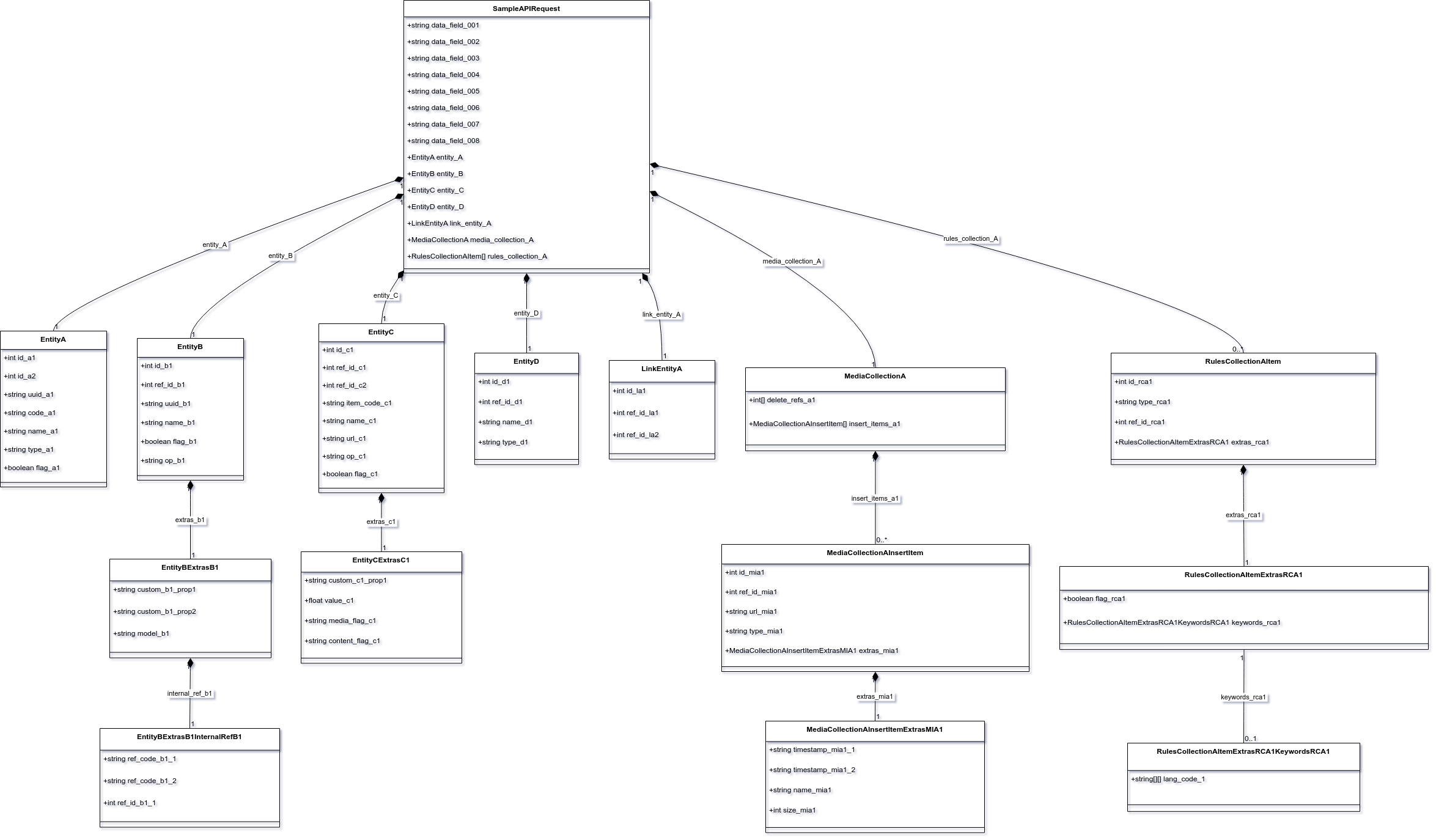
Gemini got most of it correct, as seen in the figure above, although it had problems interpreting the content within extras_rca1 of rules_collection_A. For instance, Gemini somehow conveniently dropped keywords_rca1. If it were me, I would create two objects to represent the differing structures for extras_rca1 and then wrap them in a Union clause.
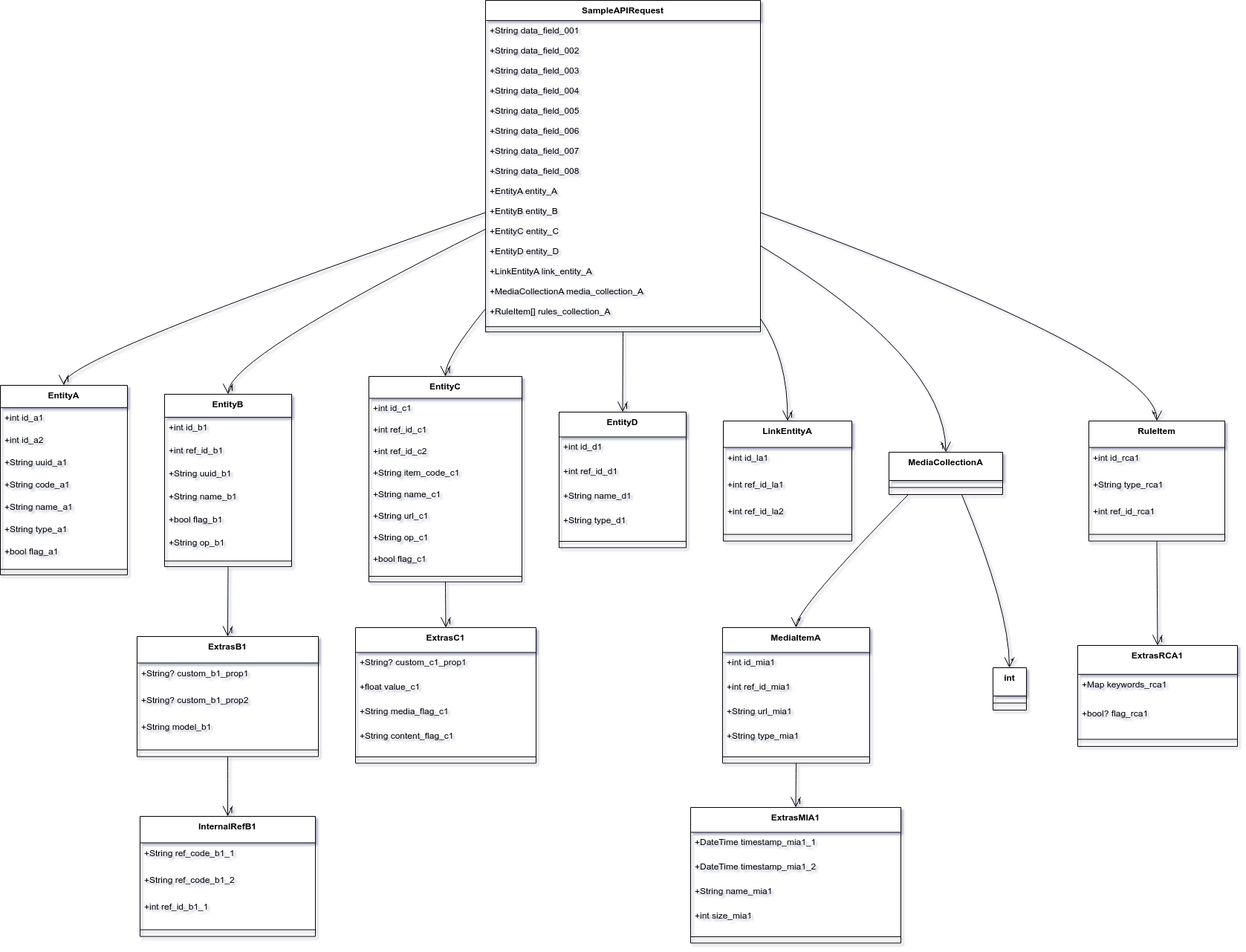
In contrast, ChatGPT started to get confused with the MediaCollectionA part. It created an unrelated class called int (I'm not sure where it got that from), and then it also mishandled ExtrasRCA1, much like Gemini.
Comparing the two, I usually need fewer edits with Gemini, if any at all. Most of the time, Gemini gets it right, but there are also cases where I need some back and forth with both LLMs.
Mind you, I also tested researching code with an LLM, and based on my experience, the two are mostly the same in that department. My process involves searching for features (sometimes on a search engine), receiving feedback from the LLM, and then engaging in some back-and-forth before I do my own cross-checking to ensure its output is not a hallucination.
In that regard, both ChatGPT and Gemini are fine. I did not test vibe coding for the two, nor do I do vibe coding, but overall, in my use case of diagram conversion, Gemini comes out on top.
Lastly if you are wondering why I put my experience of diagram conversion in code generation it is because Mermaid is a code as a chart. In an essence what I am doing is just the same task as creating simple code.
Image Generation
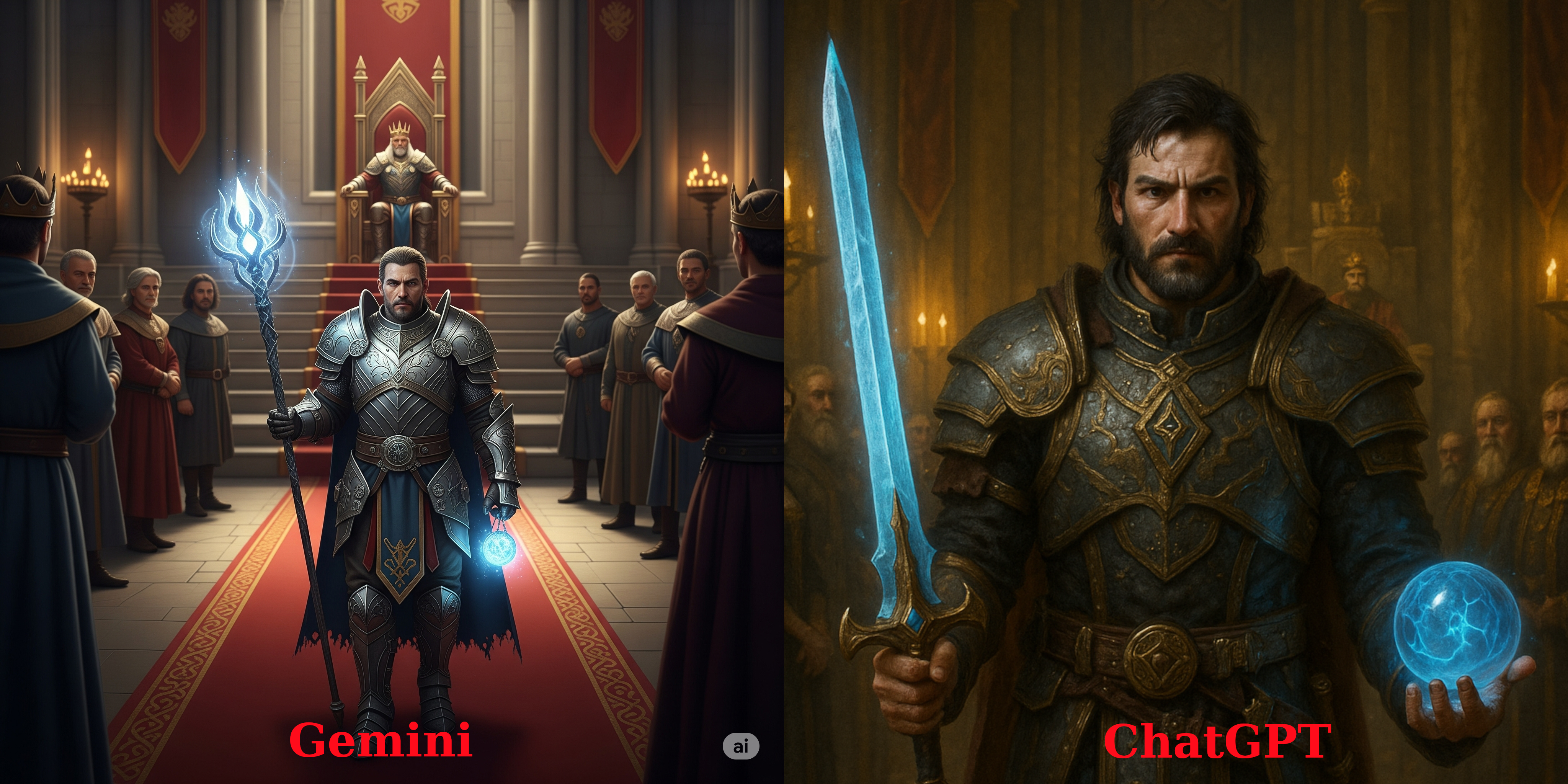
I use image generation quite extensively, often to create avatars for a text-based game I play or for forum-based games like Fallensword. When it comes to pure base-to-image generation, I find the two to be equal.
Using this prompt:
Generate a new image
Create an image of a warrior, with magical artifacts, that just came back from an adventure and now visits back the king. The king must be at the back of the warrior and the warrior must be the center of the image.
The king is very far back
Add also audiences at the side, must be royal members of the castle
Figure 1. Image Generation of my current Avatar in Fallensword only using Text
However, Gemini lacks the ability to refine its previous image generations, whereas ChatGPT is very good at it. This gap is more obvious when modifying non-AI images and having the AI reimagine them. For example, I might want to reimagine a personal photo of mine in a Studio Ghibli style.
Figure 2. ChatGPT restyling my image with my dog in Studio Ghibli style
You can even give ChatGPT mockups or wireframes of what you want to do with a detailed description and often times it ends up close if not exact with what you want it to be.
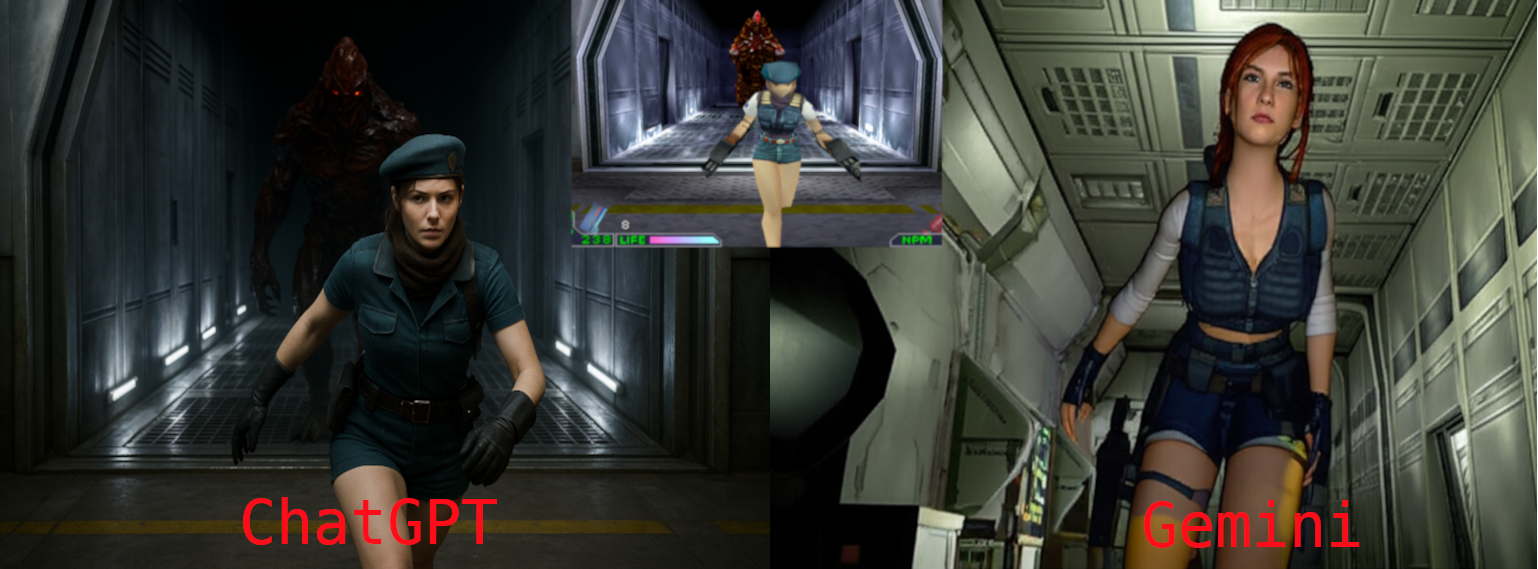
Figure 3. Asking the two AIs to reimagine a gameplay screenshot of Chaos Break (PS1) if it was in real life
For my use case, what Gemini can do is fine, but for everything else, ChatGPT comes out on top when it comes to image generation.
Video Generation
ChatGPT itself cannot generate videos. For that, OpenAI offers a separate portal for image and video generation called Sora. Sora is actually very good; it has the same ability to use existing images as context, so you can do a lot with it.
I have reimagined a Studio Ghibli-style photo and animated it for everyone's entertainment. In other cases, the avatars I generated for the games I play ended up being animated (saved as APNGs).
Although I haven't tested this feature extensively, I did generate a few videos for a laugh with my friends. For example, we were discussing AI video generation when another friend tried to hijack the conversation by talking about the peach jam she was making. As a creative way to steer the discussion back on topic, I prompted Gemini, "A woman creating peach jam and saying, 'I created a peach jam using fake videos,'" which led to a funny eight-second clip.
I can imagine it being used for a movie or a short cutscene, although I did notice it's terrible for non-realistic videos—but then again, so is Sora.
That being said, the ability for characters in Gemini's videos to speak is very good, and for that, I will say Gemini comes out on top on this one.
Writing assistant
I use LLMs to revise or proofread what I've written, and I have been doing this for quite some time in situations such as writing emails or blog articles.
There are also cases where I ask an LLM to generate proposals for me from just bullet points. This is especially useful when someone asks for something as soon as possible, but I can't write it out at that moment. I can dictate the points via voice, have the AI generate a draft, and then just read it over once to make any revisions.
For this task, I even created a specific project on OpenAI, but I often find that the "Gem" I created with Gemini (their equivalent to OpenAI's GPTs) performs better for my use case.
Conclusion
Basing on my findings, I can say that Gemini seems to be the better AI for my use cases. It is better at coding, video generation and as a writing assistant. However even though Gemini performs better, I will not say that ChatGPT is terrible at it, afterall I have been using ChatGPT pro for quite some time now (almost a year to be exact).
Honestly, I wish I could have both, but due to budget constraints, I've decided to stick with Gemini. I will certainly miss the better image generation from ChatGPT, but aside from the better performance for my work use cases, I also get 2TB of storage bundled in. For me, that's quite a steal.
When most people hear "indie games," they think of small teams, shoestring budgets, and probably even pixel art aesthetics. However, for this article, I’m going back to what indie actually means: independent.
As I believe, ownership and creative freedom define indie, not headcount or budget.
Figure 1. Baldur's Gate 3: showcasing detailed graphics, high replayability and very expansive gameplay
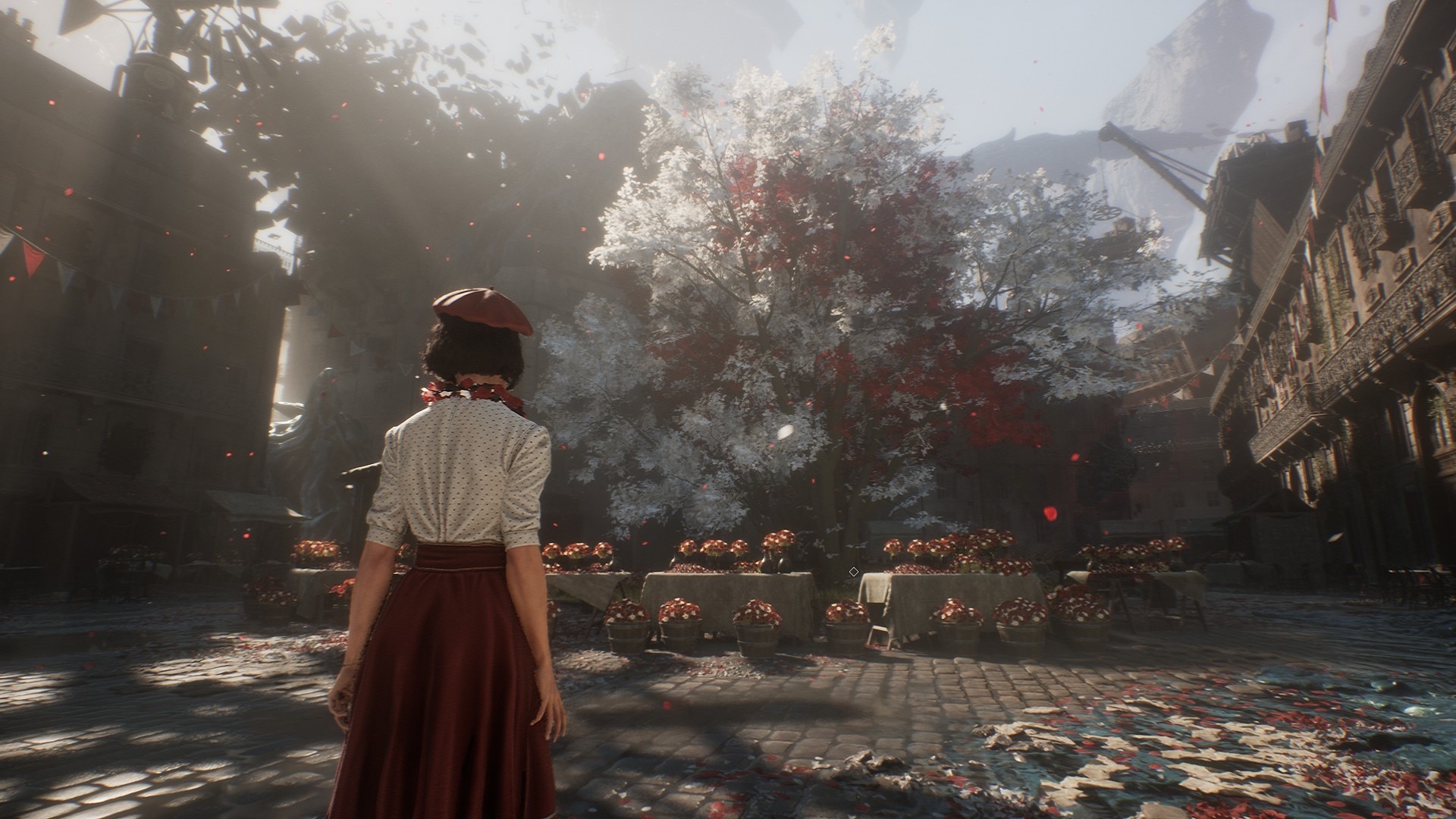
By that definition, Baldur’s Gate 3[1] is one of the greatest indie successes in gaming history. Larian Studios delivered a polished, expansive RPG that embarrassed many traditional AAA releases, and they did it without a corporate parent pulling the strings.
Figure 2. Clair Obscur: Expedition 33 showcasing detailed visuals despite being develop by an indie studio
Founded by ex-Ubisoft developers tired of corporate creative decay, Sandfall represents a new generation of indie ambition. They partnered with Kepler Interactive to help publish the game, but crucially, they kept their independence intact.
Clair Obscur isn’t just another indie project. It’s a statement that stunning, AAA-quality experiences can come from studios that refuse to sell out.
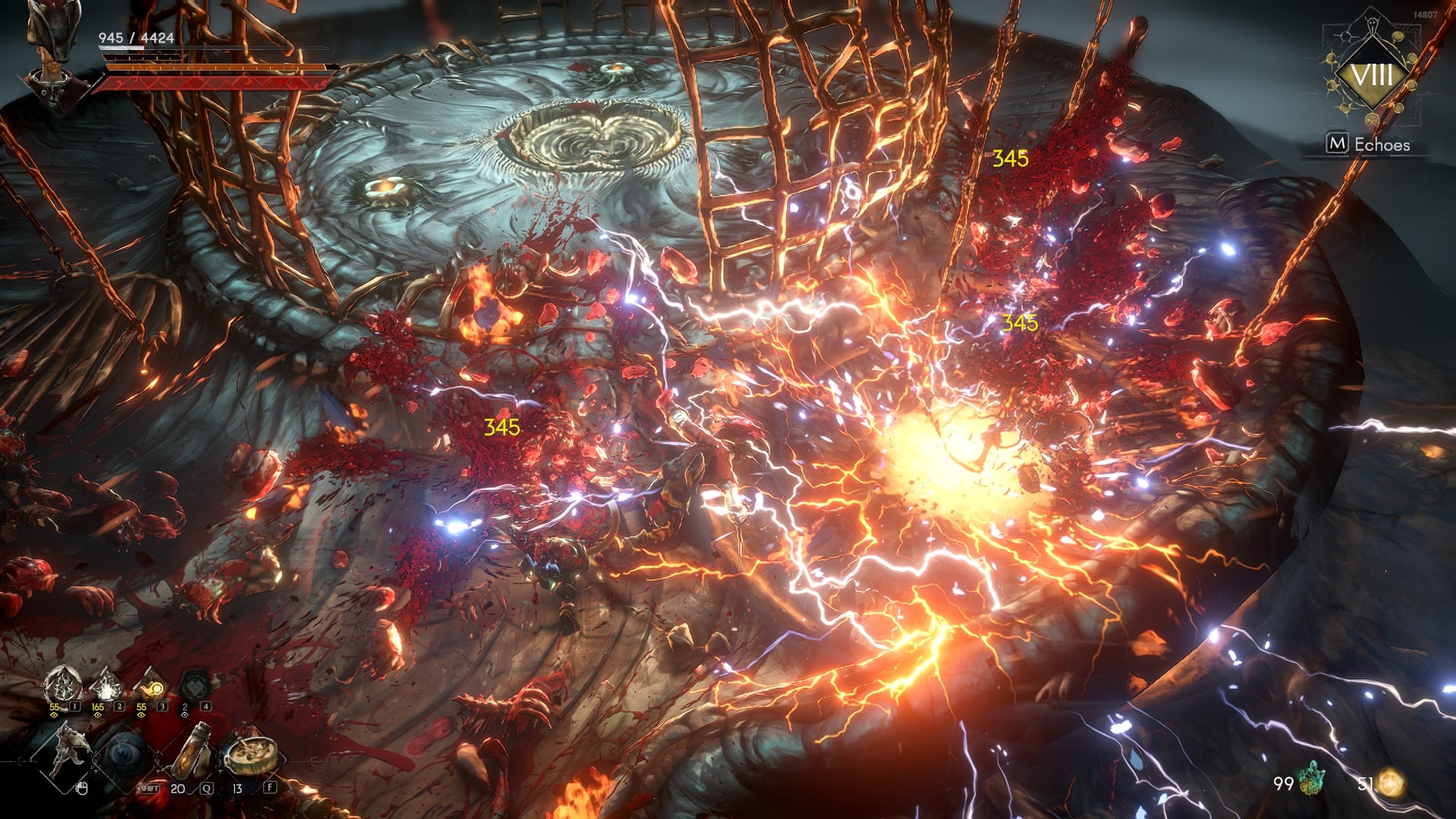
True, these two are what the industry calls unicorns. But they are not alone. There is also No Rest for the Wicked[3] by Moon Studios, an upcoming isometric hack-and-slash game currently in Early Access on Steam.
Figure 3. No Rest for the Wicked showing very flashy effects
Another, from the Souls-like genre, is AI Limit, an anime-style game that follows a similar aesthetic to Code Vein.
Figure 4. AI Limit showcasing impressive anime visuals
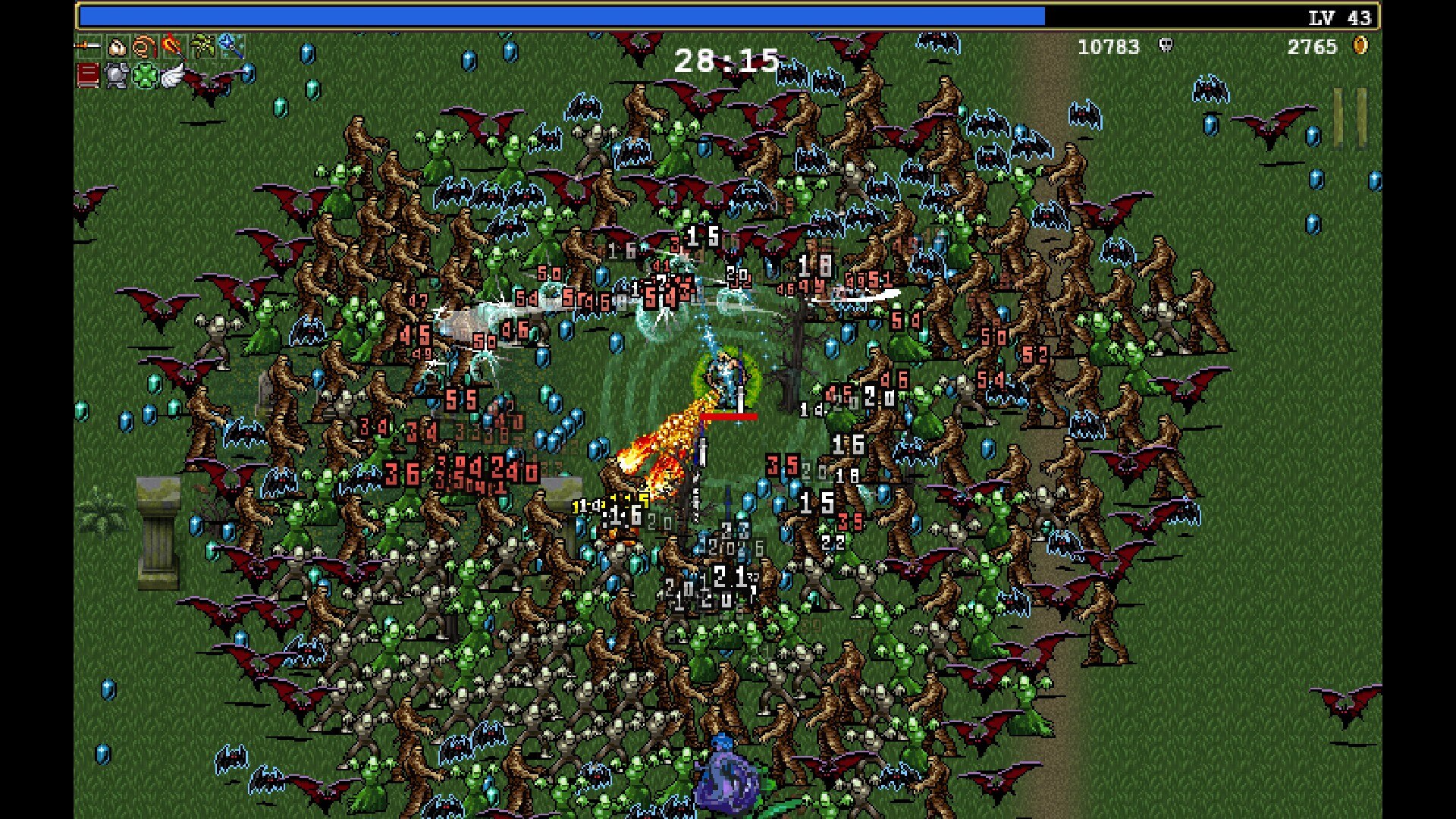
I could go on and on, and these are just on the premium side of the indie spectrum. There are also those that help define entire genres, like Vampire Survivors[4], Hades[5]
Figure 5. Vampire Survivors gameplay
What is my point here? The point is that even though there are notable AAA games, if we look back over the last decade, the indie scene is where the real innovation is happening.
Figure 6. Balatro gameplay
The Rise of Indie Games
Indie games are not a new phenomenon. They have been around for decades, always a part of the gaming landscape. Their presence grew alongside the rise of the internet and the democratization of game development tools.
Flash games are a perfect example of how indie games rose to prominence, reaching millions of players worldwide and proving that anyone with creativity and a keyboard could make an impact.
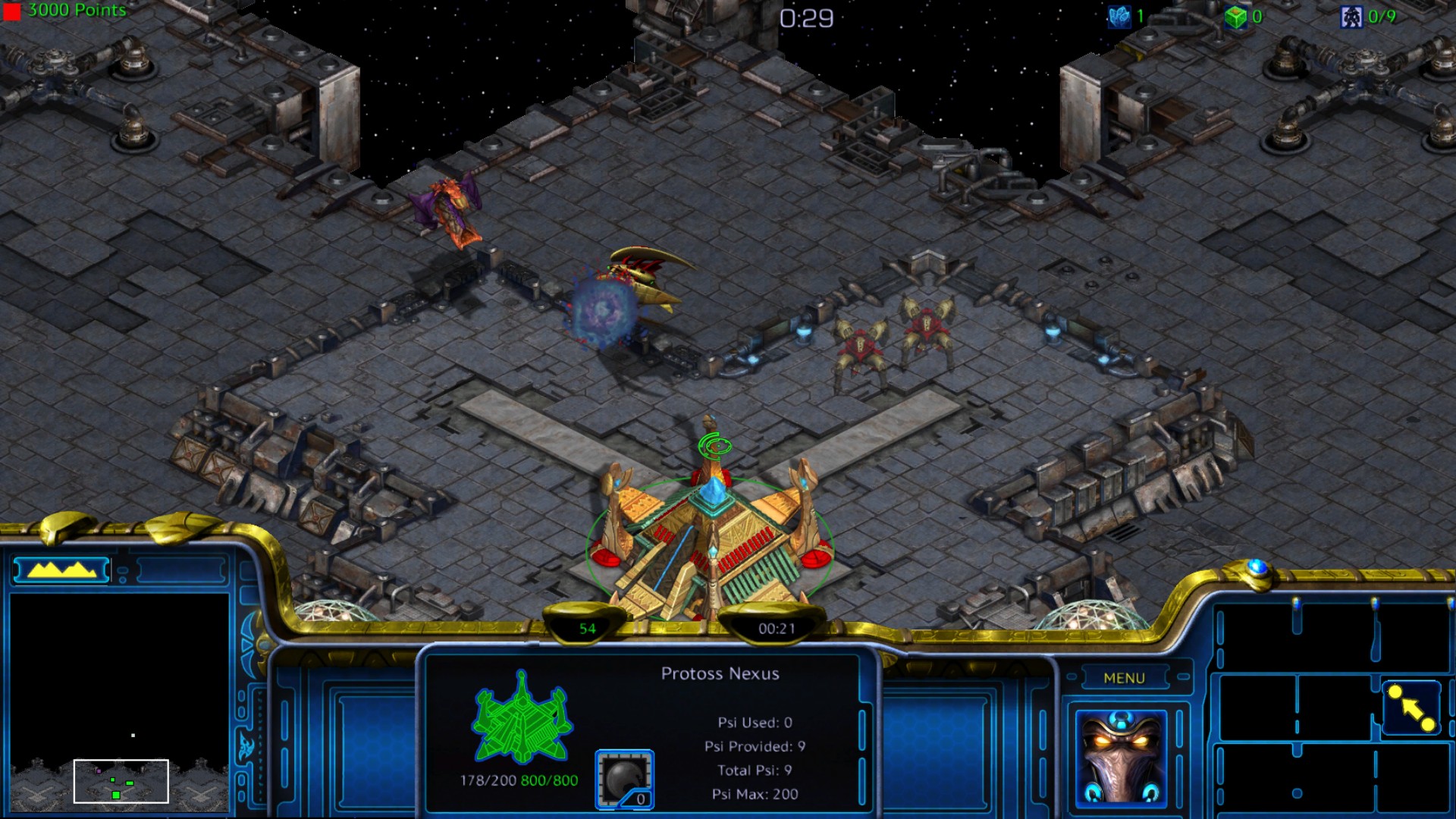
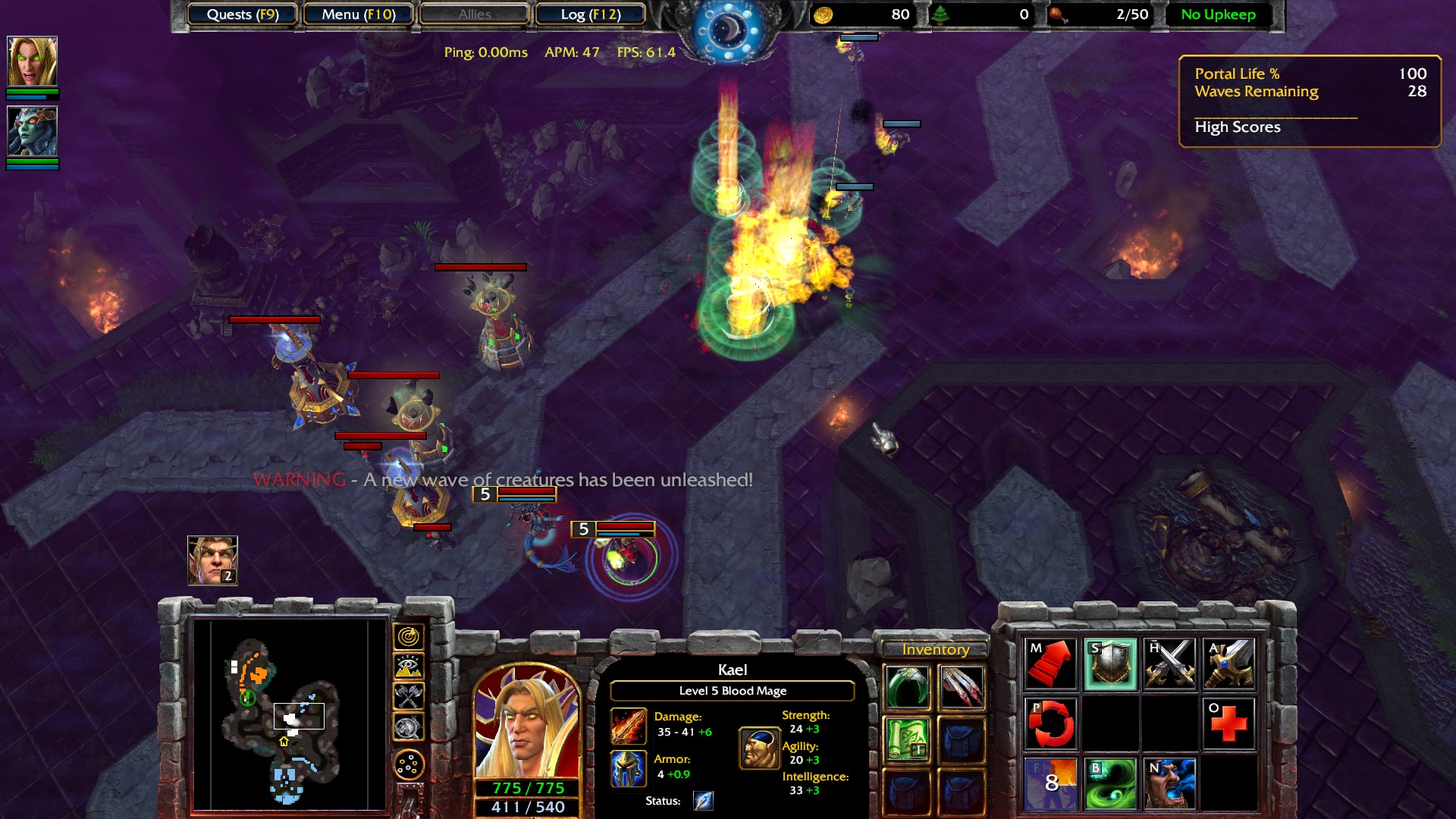
For example, tower defense games originally emerged as custom maps in RTS titles like Starcraft[7].
Figure 7. StarCraft Defense of the Galaxy tower defense, a bundled UMS (Use multiplayer settings) map
Then with the expanded map editor in Warcraft III[8], have even expanded the mechanics in the tower defense mechanic later.
Figure 8. Warcraft III The Frozen Throne - The crossing bonus/secret campaign, adding a tower defense twist in this RTS game
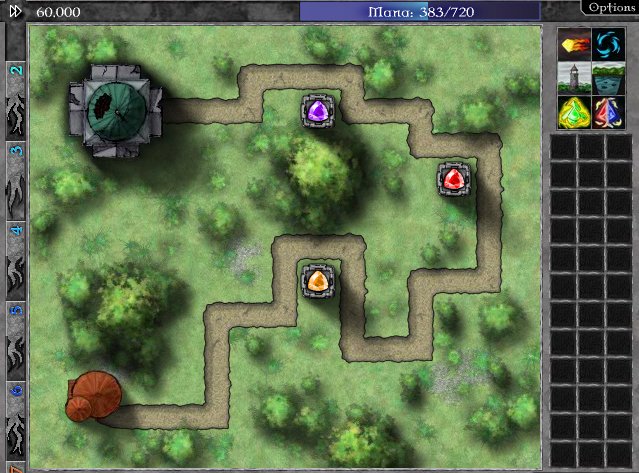
However, the tower defense genre, was only considered as a sort of mini-game.
Figure 9. Gemcraft - One of the first games that streamlined a dedicated tower defense formula
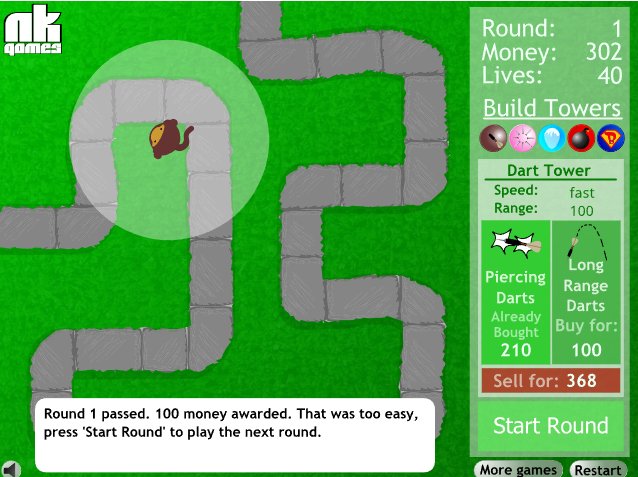
Flash games such as GemCraft[9], Bloons[10], and many others took the genre to a whole new level, making it more accessible, casual, and addicting for a global audience.
Figure 10. Bloonds TD - Another ogames that streamlined a dedicated tower defense formula
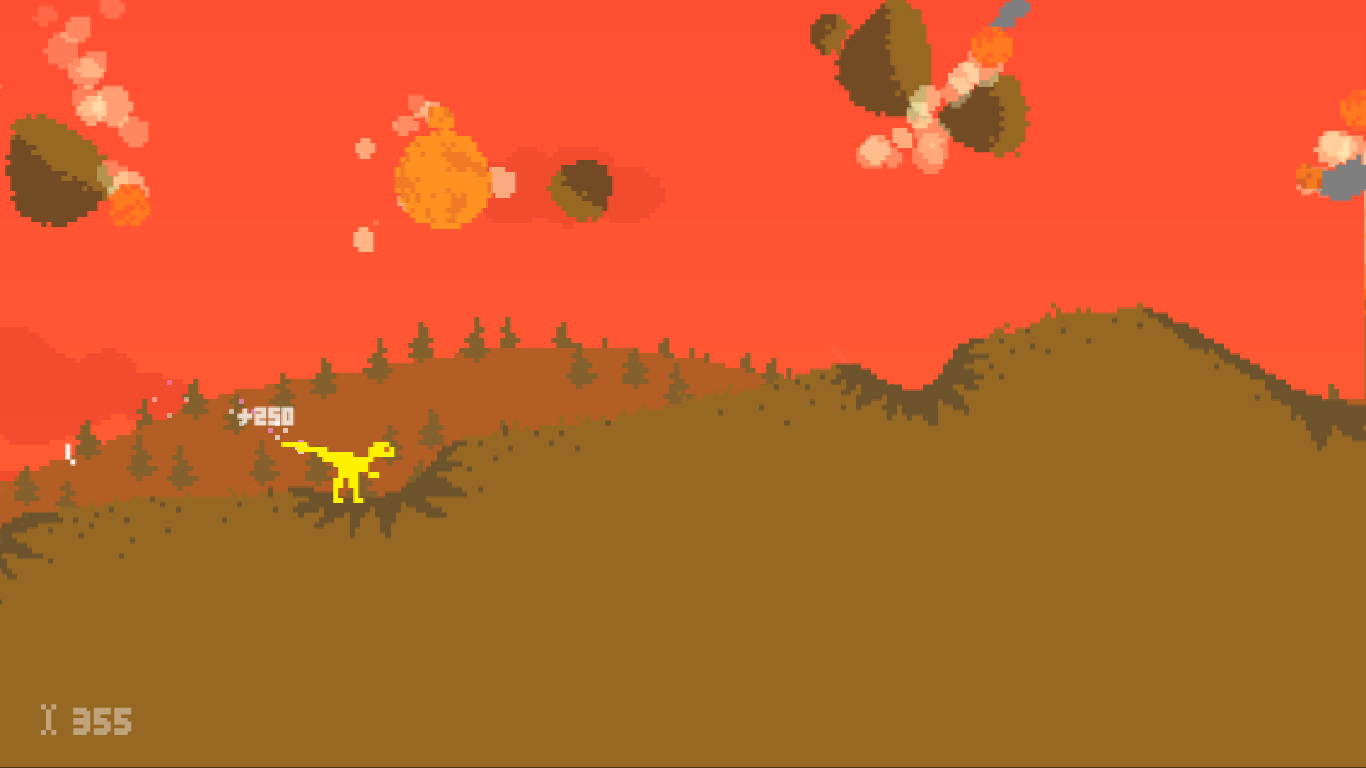
Another key example is Dino Run[11], a game created in just one week for a game jam.
Figure 11. Dino Run having a left/right only runner / platform game paving the way for endless runners
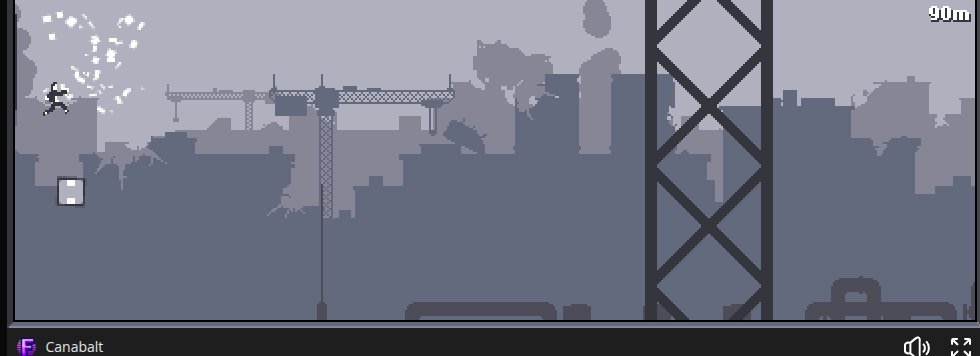
Of course, the real breakthrough came with Canabalt[12], which crystallized the endless runner genre. Its success sparked an entire wave of games like Temple Run[13], Subway Surfers[14], and many others.
Figure 12. Temple Run gameplay
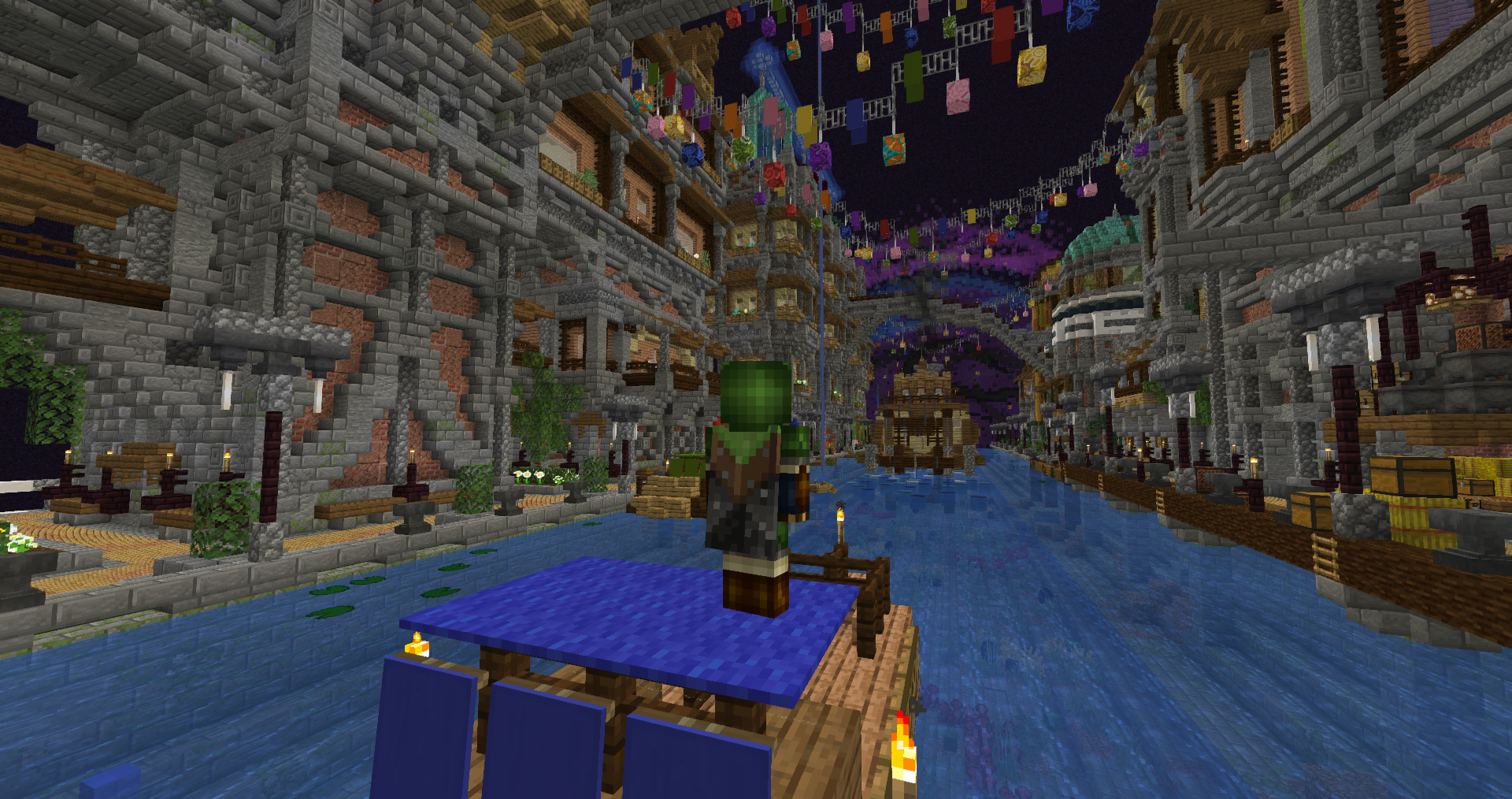
Flash wasn’t the only platform that fueled the rise of indie games. Java also played a major role, most notably with Minecraft[15].
Figure 13. Minecraft gameplay
Unity, too, became a critical tool for indie developers. Many indie games today are built on Unity, and interestingly, Unity once had its own browser plugin called Unity Web Player. This plugin allowed players to run Unity games directly in their browsers before it was discontinued in 2015, yet many games created during that era are still played today.
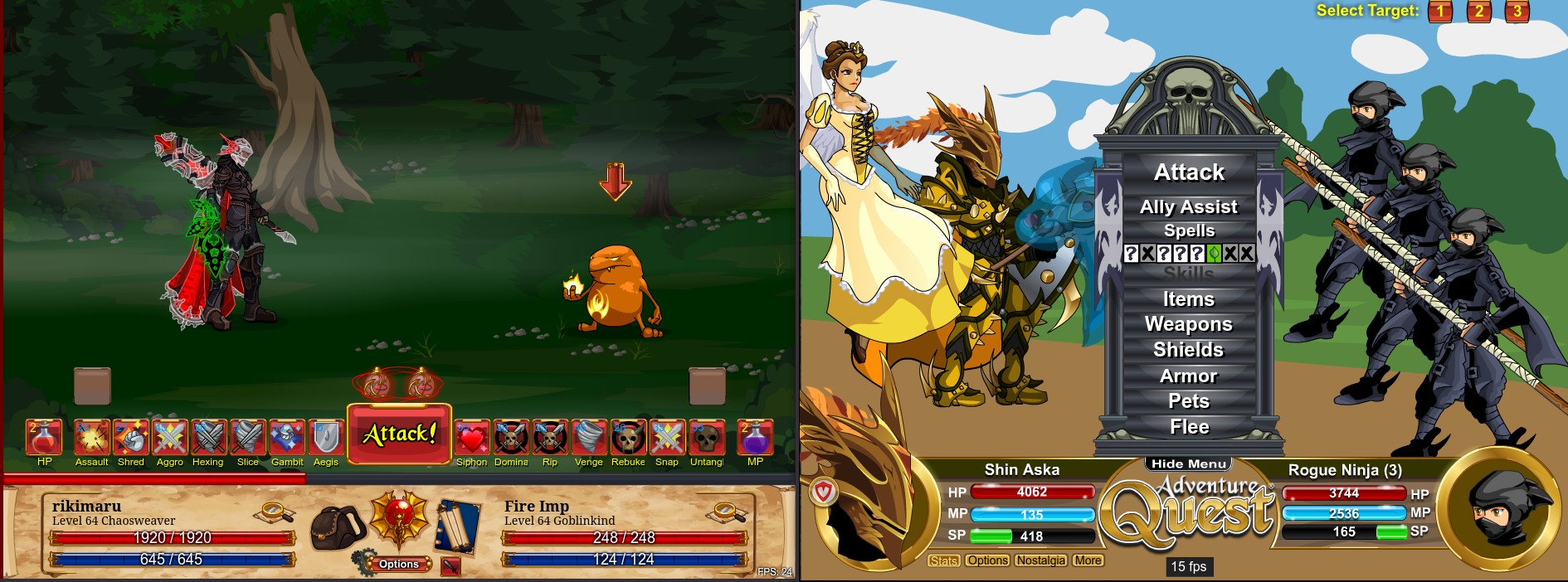
Figure 14. Adventure Quest and Dragonfable Gameplay
For Flash, studios like Artix Entertainment who created AdventureQuest[16] and DragonFable[17] are perfect examples of how Flash games continued to thrive long after Adobe officially ended Flash support.
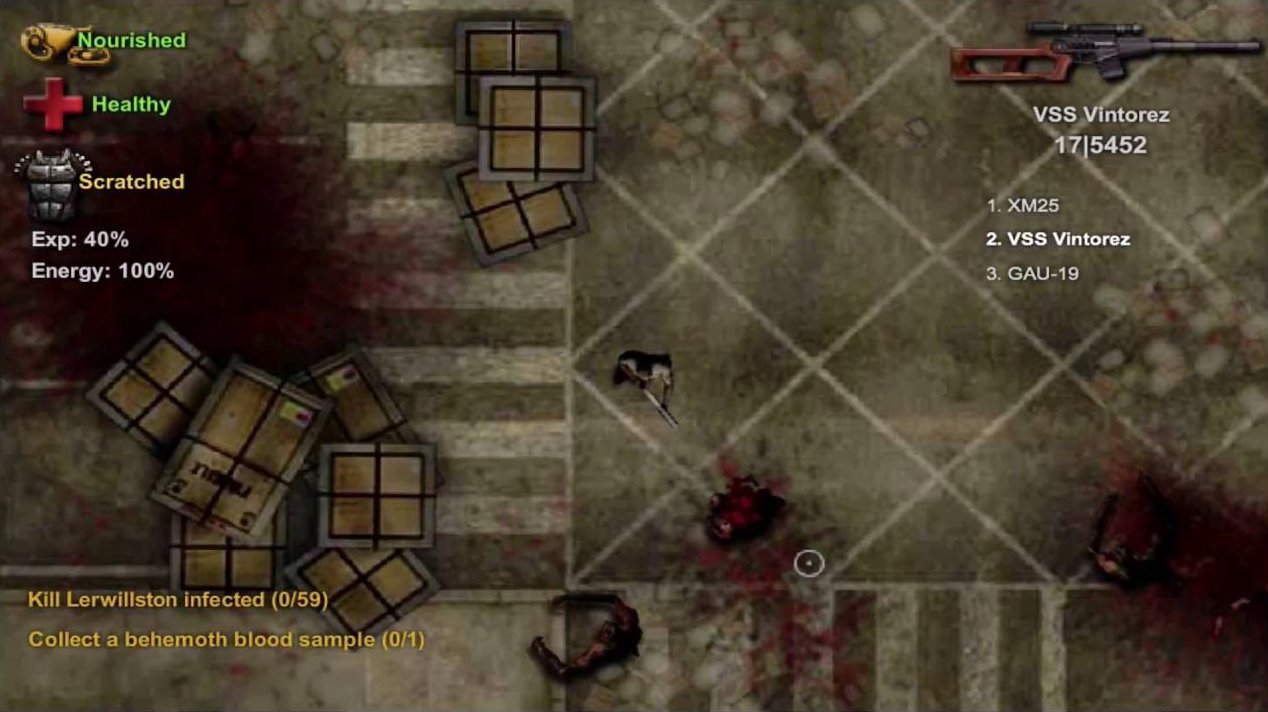
Figure 15. Dead Frontier Gameplay
As for Unity Web Player, a great example is Dead Frontier[18] a zombie MMO that remains more popular today than its own sequel.
Meanwhile, Java took a different path, favoring standalone applications. Although browser-based Java games became rare, technologies like Java Web Start kept browser-launchable Java applications alive for a time. This approach eventually paved the way for projects like CheerpJ[19], which allows Java applications to run in modern browsers via HTML5.
Similarly, there’s Ruffle[20], a Flash Player emulator that enables classic Flash games to run on modern browsers. As an open-source project, Ruffle has gained significant traction, making it possible for players to continue enjoying Flash games without relying on the now-defunct Adobe Flash Player.
So while Flash and its browser plugin counterparts may be dead, their legacy and the indie games they inspired lives on.
The Indie Games Scene Today
Even though Flash is gone, the indie game scene is thriving. If we take an introspective look at why Flash became such a powerful tool for indie developers, it all boils down to one key factor: accessibility.
Flash allowed developers to publish their games online without the need for a publisher, a console, or expensive distribution channels. This democratization of game development only accelerated in recent years with the rise of platforms like Steam.
During Flash’s heyday, many AAA studios thought that PC gaming was dead. They were wrong. The rise of Steam and the explosion of indie games proved it.
Originally, Steam was intended as a platform for Valve’s own titles. But it quickly evolved into a haven for indie developers. It gave them the ability to publish directly to consumers and bypass the traditional publisher model entirely.
This shift in distribution led to a surge of creativity and innovation in the gaming industry. Indie developers, no longer constrained by big publishing, were free to take risks that larger studios often avoided.
As a result, the gaming landscape became more diverse. From narrative-driven experiences like Life is Strange to experimental titles like Journey, indie games have consistently pushed the boundaries of what gaming can be.
But Steam isn’t the only platform that helped indie developers. Mobile platforms like iOS and Android also played a significant role in the rise of indie games.
The App Store and Google Play Store made it easier than ever for developers to reach a global audience, and many indie games found massive success through mobile. Innovation was no longer tied to consoles or PCs alone.
Speaking of mobile games, you don't often see AAA games dominate the space. Meaning that a world can live without AAA games existing at all.
The Future of Gaming and Conclusions
This is more of a prediction than a fact, but I believe the future of gaming lies in the hands of indie developers.
Right now, most AAA games are being developed by studios owned by large corporations. These corporations prioritize profit over creativity, which has led to a growing homogenization of game design.
Many of these studios have also shifted to free-to-play models, a trend that is becoming more common across the AAA space. While it makes financial sense, this model is often criticized for putting monetization ahead of player experience, leading to a lack of innovation and creativity.
This is where indie developers come in. They aren’t beholden to shareholders or corporate interests. They can take risks, experiment with new ideas, and create unique gaming experiences that truly resonate with players.
Baldur's Gate 3 may be a unicorn, but then there’s Clair Obscur: Expedition 33, a game that’s not only visually stunning but also offers a fresh gameplay experience.
And it’s not just about vision. The tools needed to make games are more accessible than ever. Game engines like Unity and Unreal Engine have made it possible for small teams or even individuals to create high-quality games without the need for massive budgets.
On top of that, AI tools are starting to help with game design, art, and even music. This means indie developers now have the ability to create games that can rival AAA titles in quality, without needing the enormous manpower that used to be required.
What do you think? Are indie games the future of gaming, or will AAA games always have a place in the industry? Only time will tell. But one thing is for sure: the indie game scene is thriving, and it’s not going anywhere.
The future of gaming is bright, and it’s being shaped by the creativity and innovation of indie developers. So the next time you play an indie game, remember — you’re not just playing a game. You’re supporting a movement that values creativity, independence, and the spirit of gaming itself.
One of the most common questions from new Steam Deck users is, “How do you browse the internet with this thing?” While the Steam Deck comes with Firefox preinstalled, it’s not accessible in Gaming Mode—the default interface. To use Firefox, you have to manually add it as a non-Steam game in Desktop Mode.
Fortunately, there are scripts that enable Firefox, installed via Flatpak, to function within Gaming Mode. These scripts utilize KWin on top of Gamescope (Gaming Mode’s Wayland compositor), allowing users to enjoy tab switching and other browser conveniences.
However, beyond configuring Firefox, there are many browsers available on Linux. Considering the unique form factor of the Steam Deck, its hardware constraints, and the limitations of its operating system, let’s answer the question: Which browser is the best fit for the Steam Deck?
Challenges
The Steam Deck’s operating system, SteamOS, and its hardware present unique challenges for browsing. For instance:
No Native Autocorrect or Spelling Suggestions
While the OS includes an on-screen keyboard, it lacks key features like autocorrect and spelling suggestions.
Limited Voice Typing Support
Though the device has built-in microphones, SteamOS doesn’t natively support voice typing.
Typing on the Steam Deck often involves using the trackpads to mimic left and right mouse clicks, which works but can be cumbersome for prolonged sessions.
Extensions to address these gaps
Luckily, some browsers and extensions address these gaps:
Voice Typing: Extensions like Dictanote’s Voice-in enable voice-to-text functionality, albeit with occasional quirks.
Spell Checking: Most browsers include built-in spell checkers, which, while not a replacement for autocorrect, help with typos and spelling errors.
There are plenty of more, you just have to make an effort to visit your browser’s extension store.
Browser Engines
For technical users, the choice of browser often hinges on the strengths and weaknesses of these engines. For non-technical users, the focus is more on features and usability rather than the underlying technology.
Modern browsers are built on two primary engines:
WebKit and Its Derivatives (Chromium/Blink)
Powers popular browsers like Chrome, Edge, and Safari.
Quantum
Powers Firefox and other Firefox-based browsers such as but not limited to: Florp, Zen, Waterfox and Tor.
Recommendations
I have split the recommendation to two. Two browsers per engine, this is because although I recommend Quantum based browsers by default (mainly because of extended support for manifest v2 extensions such as ublock origin), there are use-cases where Webkit is better such as playing browser games.
Additionally, I do disregard if the browser is either proprietary or not. Given that most people who use the Deck do not care about it anyways (considering that Steam is proprietary) so there will be proprietary browsers in the list.
Here are the browsers I recommend:
Webkit and derivatives based browsers
Figure 1. Customized Vivaldi running on Steam deck
Vivaldi – Vivaldi packs alot of features to boot and some of its features are better suited for the Deck such as Built in toolbar clock, sync with notes and reading list and easy to customize user interface.
Edge – Edge is a good choice if you are looking for a chromium based browser. Although it does not contain the features Vivaldi has that I have listed above, it does however have features better suited for a browser user such as Built in coupon finder and Built in image editor.
Figure 2. Edge running on Steam deck
It should be noted that these two browsers offer alot more than what I listed but for me these are the features that I find killer for them. Some of the features that I did not list is a way to group tabs, split view, other sort of syncing (sending files from different devices), etc.
Quantum based browsers
Figure 3. Firefox running on Steam deck
Firefox – One of the best and most customizable browsers. You can modify its user interface using userChrome.css, as explained in Opening Unlimited Tabs with Firefox article . There is a list of popular userChrome.css themes available, and if one wishes to customize it even further such as having tabs on the bottom, a popular GitHub repository offers various Firefox UI hacks. It should be noted that this is just one of many repositories with customization options.
Zen – While not as customizable as Firefox, Zen is built from the ground up with an easier-to-tweak interface and a wide range of options. It comes with many of my favorite extensions preinstalled (or alternatives), like auto tab discard and containers. However, since the browser is still in beta at the time of writing, expect some bugs. For instance, GPU acceleration doesn’t work on my Surface device.
Figure 4. Zen running on Steam deck
The links are already included in the browser names, but to clarify, they point to the Flatpak versions. I recommend using Flatpaks to minimize disruptions during SteamOS upgrades.
Decky Browser plugin
I am quite aware of the Decky Browser plugin but I highly discourage it being used because aside from the security concerns it highlights, it lacks extension support, sync and quite frankly crashes from time to time causing the whole gaming mode to break.
Figure 5. Decky Browser plugin warning
My recommendation
For a casual user (that may have some light or heavy browser gaming). I recommend Vivaldi. Mainly due to its’ customizable user interface. I mean sure I can do the things on Firefox using userChrome.css hacks but the fact Vivaldi put huge effort to have these customization in the browser settings is just fantastic for casual users.
Some features, like the clock in the toolbar which initially felt redundant on a desktop turned out to be perfect on the Deck. Given how Steam Deck’s gaming mode UI works (where checking the time requires opening the Quick Access Menu), having the clock always visible is a great convenience.
Finally if you do play browser games, Webkit based browers are often times better than Quantum based browsers in terms of performance because of its better implementation to WebGL and WebGPU (Probably thanks to patents no doubt).
Some of the games I have observed where Webkit performs better are Flyff Universe, Hordes.io and Stumble guys (although they have a dedicated Steam app that is playable on Proton anyways).
Although as of this writing February 22, 2025, Firefox is closing the gaps on these performance issues. I have noticed that the current version of Firefox 135 performs very close to Chromium on Flyff Universe. Hordes.io and Stumble guys do still have performance problems/
Of course I will say that with Manifest V2 extinction happening soon, Quantum based browsers will no doubt end up having superior extensions for better browsing experience. I mean Edge and Vivaldi may have built-in adblock but it performs subpar to ublock origin.
Closing Thoughts
There is nothing stopping you from using other browsers not on the list (such as Chrome). Although challenges may arise if the browser is not in flatpak because SteamOS is atomic Operating System.
Furthermore, I have written modifications out of finewolf’s bash script for launching Firefox for Edge, Vivaldi and Zen. They can be downloaded here. Feel free to use this as your base or use it as it is preconfigured.
The recent conflict between WordPress.com and WP Engine has sparked plenty of debates about the future of open-source platforms and who controls access to their resources. For someone who believes strongly in the principles of open-source, this situation feels like a step in the wrong direction. As I’ve already discussed, blocking access to open-source resources based on business disputes undermines the values that have made platforms like WordPress so successful.
With all this drama unfolding, it got me thinking—if WordPress.com starts tightening access to its resources, what other content management systems (CMS) are out there? Could another platform rise up to challenge WordPress’s dominance? Enter Joomla, one of the most popular CMS alternatives to WordPress, and a well-established open-source project in its own right.
As someone who’s not particularly fond of CMS platforms in general (my personal site is hand-coded in HTML, after all), I decided to give Joomla a try. Could it be a viable competitor to WordPress, especially for those looking for a reliable, open-source solution that stays true to the principles of openness and accessibility?