
My Joomla
  • Homepage
  • Blog
  • Login
  1. You are here:  
  2. Home
  3. Blog

Blog

What We Can See in 2026 in Technology

Details
Written by: admin
Category: Blog
Published: 20 January 2026
Hits: 3

Introduction

As 2025 draws to a close, I wanted to share some insights on what I think will be important in the coming year.

With that in mind, I want to discuss my thoughts on several key areas:

  • The RAM Crisis
  • Agentic AI and Workflows
  • Invisible AR
  • AI Scams
  • The Blue Collar Boom

Let me dive into each of these insights in detail.

The RAM Crisis

I predict that the current “artificial” RAM shortages will intensify over the next few months unless big tech companies face government regulation to prevent monopolistic behavior and maintain fair access to memory resources.

Since 2022, the semiconductor industry has already been struggling with capacity limits for High Bandwidth Memory (HBM) and DRAM, driven by the explosive demand from data centers and AI accelerators. Production ramps for newer 3nm nodes are still catching up, creating a “tight-rope” scenario where supply barely meets the voracious demand of AI models.

That being said, I think Google completing its vertical alignment with AI is a massive advantage. Unlike its competitors, Google relies on TPUs (Tensor Processing Units) rather than the standard NVIDIA GPUs. Their approach is proving to be more efficient and sustainable for long-term AI development, which allows them to sidestep some of the supply chain bottlenecks we are seeing elsewhere.

Of course, Nvidia, Microsoft, OpenAI, and Anthropic are not happy with Google’s position. Currently, Google is the only major player not fully participating in the “cannibalistic” bidding wars for hardware that are inflating share prices across the industry.

I believe there is a bubble—similar to what Michael Burry predicts—but it may not reach the catastrophic levels of the 2008 crash. Unlike 2008, where every bank was exposed, this bubble is concentrated among a few key tech players. While valuations of AI-related chip makers have surged, the broader market dynamics will determine if the correction is severe or just a market adjustment.

If the bubble pops, the market will undoubtedly be in disarray for a bit. I am not certain if diversified giants like Microsoft will be heavily damaged, but I am certain that AI companies without full vertical integration (those renting their chips) will struggle to survive.
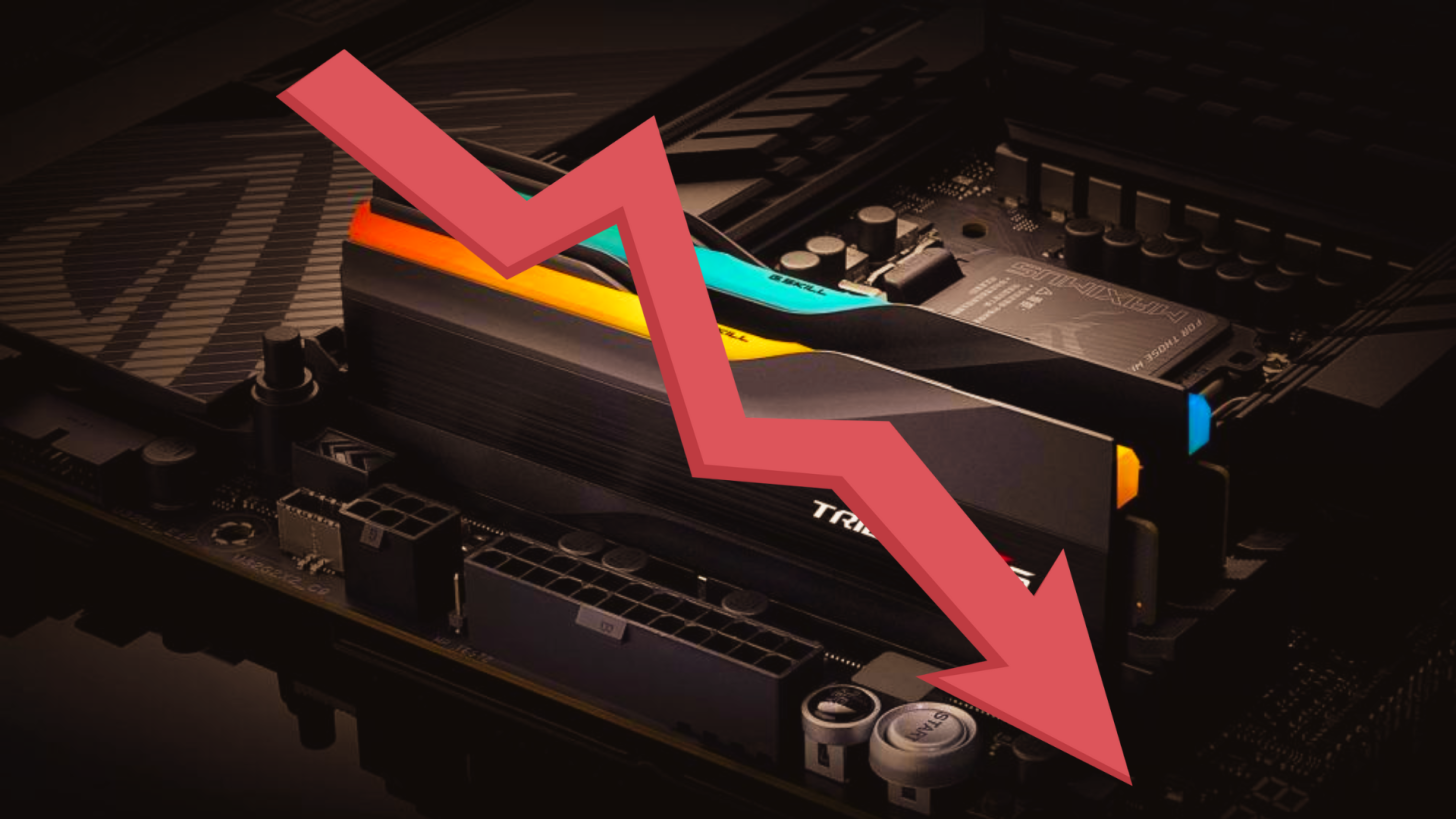
Figure 1. The hypothetical hardware bubble in the AI industry

The fact remains that even if the financial bubble pops, the technology itself is here to stay. AI models will continue to improve because they are proven to be useful. In my own field of software development, despite being transferred to different departments several times, I still deliver at an impressive pace specifically because of AI acceleration.

I recently did a coding challenge where I implemented Dijkstra’s algorithm in modern C++ and compared it to Gemini and GPT-5.2. Our code was similar, though I believe mine was more maintainable (variable naming-wise). However, it took me 5 minutes to write, whereas these LLMs in high-reasoning modes took just a minute of work to produce similar results.

Agentic AI and Workflow

“Workflow” has been the buzzword of the year, and I expect this to dominate 2026. Currently, AI workflows are not fully mature, but companies have started implementing their own internal systems and adding AI capabilities on top of them.

I expect these workflow systems will mature significantly in 2026, leading to widespread adoption of Autonomous AI Agents. These won’t just chat; they will handle complex, multi-step tasks like “plan this project” or “debug this module” without constant human hand-holding.

We are already seeing this trend with platforms like n8n, Zapier, and LangChain gaining traction in enterprise pilots. These tools are moving beyond simple automation to becoming “orchestrators” that can decide how to execute a task, not just follow a pre-defined script. However, true autonomy still faces reliability and safety hurdles. For 2026, “human-in-the-loop” systems will remain the standard for critical workflows to ensure governance and accuracy.

This evolution will blur the lines between traditional software development and AI-driven automation, creating new opportunities for developers who can orchestrate these agents rather than just writing code from scratch.

Figure 2. n8n – An example of a workflow automation tool being used for agentic AI tasks

Invisible Augmented Reality

Augmented Reality (AR) is currently in its early stages, but I expect it to become seamless and integrated into our daily lives in 2026. The technology is finally becoming “invisible” and context-aware.

We are seeing this with devices using Directional Audio technology (like the Ray-Ban Meta glasses). These glasses have built-in speakers that fire sound directly into your ear canal so only you can hear it—no earphones required.

However, mass adoption faces technical hurdles. Battery life, heat dissipation, and display brightness are significant challenges that engineers are still solving. Until we have batteries that can power a high-resolution AR overly for a full day without overheating, premium models will remain a niche product for early adopters and professionals.

As innovation continues, I expect these invisible AR devices to become more sophisticated. We will move away from bulky headsets toward frames that look like normal eyewear but revolutionize how we interact with digital information.

Figure 3. Modern smart glasses that look indistinguishable from regular eyewear

Unfortunately, I think the premium models will remain expensive for the time being, so mass adoption may not happen as quickly as I’d hope. However, the trajectory is clear: I am looking forward to having less “monitor junk” and LCD screens cluttering my desk because virtual screens can finally take their place—a win for both productivity and the environment.

I know that in VR we can already spawn infinite virtual monitors, but 2026 will be the year this streamlines into lightweight AR that we can wear all day.

AI Scams

As generative AI improves at cloning images and audio, I expect scams to become significantly more sophisticated. Tools like Runway’s Gen-2 and Adobe Firefly have already demonstrated photorealistic capabilities, and open-source models (like Stable Diffusion) can be fine-tuned by bad actors to bypass safety filters.

We’ve already seen issues on Kickstarter, where plenty of projects were created using AI-generated content that later turned out to be fraudulent vaporware.

There have also been reports of delivery scams where drivers use generative AI to create “fake proof of delivery” photos—placing a food bag on a virtual porch using Google Street View data to fool the refund system.

Figure 4. An AI-generated ‘proof of delivery’ photo used in refund scams

In 2026, we will see new scams that leverage this tech to create increasingly convincing fake content, making it nearly impossible for people to distinguish between real and artificial proof.

We need better digital literacy and verification tools to combat these threats, along with stronger regulations to hold platforms accountable. Detection technologies are advancing, but it remains an arms race. Realistically, next year will be a game of “cat and mouse.” Critical thinking is highly encouraged.

The Blue Collar Boom

Here in the Philippines, AI adoption won’t happen overnight, but we will see a gradual increase in AI-assisted tools for blue-collar workers, particularly in manufacturing, construction, and service industries.

The types of AI systems I expect blue-collar workers will utilize are smart assistants for logistics, AI-assisted information retrieval (repair guides), and decision support tools. Imagine a mechanic using a tablet to instantly pull up a specific engine schematic or an electrician using AR to visualize wiring behind a wall. This isn’t replacement; it’s augmentation.

Figure 5. A construction worker utilizing AI-powered schematics on a rugged tablet

However, I do not believe blue-collar jobs will be replaced. Even if big tech companies solve their energy problems, the cost of operating AI per request is simply too high to replace human labor in physical tasks.

A perfect example is the Amazon “Just Walk Out” stores. Amazon recently pulled this technology from their large grocery stores because it turned out to be less “AI magic” and more “human reliance.” Reports revealed they had to hire over 1,000 workers in India to manually review the camera footage for accuracy. It was actually more expensive than just hiring cashiers.

This proves that even large corporations are hesitant to adopt full automation when the costs outweigh the benefits. For 2026, the physical worker remains essential, and their value might even go up as digital skills become commoditized.

Conclusion

The road to 2026 promises both massive opportunities and significant bottlenecks. The ongoing RAM crisis underscores the urgent need for sustainable infrastructure. The competition for AI supremacy will be fierce, with companies like Google leveraging vertical integration to gain an edge. But beyond the hardware wars, the way we live and work is shifting.

We are moving toward a world of “Invisible” AR and “Agentic” workflows that handle the heavy lifting for us. However, as AI gets smarter, so do the scams, requiring us to be more vigilant than ever.

In the Philippines and beyond, this shift highlights a surprising truth: as digital skills become automated, the physical world—and the blue-collar workers who build it will only become more valuable.

Addressing AI Slop: What It Is and When It Is Not

Details
Written by: admin
Category: Blog
Published: 20 January 2026
Hits: 2

Introduction

Recently, drama unfolded regarding Larian Studios and AI. It started with a tweet from Kami confirming that Larian is using generative AI in their upcoming game, Divinity.

This tweet sparked an AI “hate mob” on social media, leading to widespread backlash and accusations that Larian is using AI to replace human creativity and craftsmanship. There is also an angle where critics accuse Larian of producing “AI slop,” which I find confusing because their previous work is anything but.

The situation escalated to the point that Swen Vincke, the CEO, had to address the issue publicly. He stated that they use AI mainly to search for references and speed up their workflow. This got mixed reactions. Half accepted his explanation, but the other half stuck hard to saying “NO AI.”

In light of this, I have written this article to share my observations regarding this backlash and to inform readers what “AI slop” really means and when it becomes problematic. It should be noted that I work mainly with AI in B2B markets. This involves using all kinds of AI, not just LLMs but also “traditional” models, such as neural networks that offer deterministic predictability.

Definition of Terms

Before we begin, I would like to clarify the terminology and acronyms I will use throughout this article:

  • **AI*– Artificial Intelligence, encompassing all forms of AI, including LLMs and traditional machine learning models.
  • **B2B*– Business-to-Business, referring to a business model that caters to other businesses.
  • **LLM*– Large Language Model, a type of AI designed for natural language understanding and generation.
  • **Neural Network*– A type of machine learning model consisting of interconnected nodes organized in layers.

What is AI Slop?

“AI Slop” is a term coined online to describe low-quality, unoriginal digital content created via generative AI by unskilled individuals. It often implies a lack of creativity, effort, or expertise in the final product. It is typically associated with users who claim AI-generated work as their own.

I observed that this term originated in art circles on X (formerly Twitter), where users would post AI artwork and claim it as their own creation without giving credit or mentioning AI help. Personally, I don’t have a problem with people using AI to generate images, but I do take issue when it’s used to replace genuine creativity and craftsmanship, like in competitions where originality and skill are expected.

Unfortunately, as generative AI becomes more accessible, “slop” has surfaced in other fields such as music, writing, and software development (including the generation of assets like textures and models).

The Backlash Against AI Slop

In art circles, the backlash intensified when people began using AI tools without disclosure. This led to the discovery that these tools were trained on vast amounts of copyrighted data, raising concerns about intellectual property and fair use. This revelation sparked a broader conversation about the ethics of training data and the responsibility of the creators using these tools.

It didn’t help that services like Midjourney trained their models on public sites like Pixiv, where artists shared work without explicit permission. This issue was highlighted by the Midjourney/Artist Database Incident[1].

Then there was the Amazon incident, which saw a rise in books published using AI-generated content, often featuring nonsensical titles and fake authors (Amazon’s AI-generated book problem[2]).

In software development, there has been a rise in AI-generated “commits” in open-source projects. These often contain nonsensical code and are pushed by developers who double down on their errors and refuse to acknowledge mistakes, as seen in The Curl AI-generated bug report incident[3].

Finally, as generative AI improves, companies have begun replacing creative roles with AI. I remember when AI struggled to generate hands or complex structures like a gun, but now companies are pushing it further, such as with the AI-generated intro for Marvel’s Secret Invasion (Marvel’s Secret Invasion AI intro controversy[4]).

These events have fostered the opinion that AI-assisted work is just low-quality junk, leading to deep skepticism across many creative and technical fields.

Beyond Content Generation

Because of the negative perception of AI-generated content, public opinion of AI in general has soured. It doesn’t help that as generative AI gets better at producing decent outputs, companies are incorporating these technologies more aggressively, like Microsoft integrating AI into Windows. This gives the impression that companies are forcing “AI slop” onto users.

But AI is more than just content generation. It has been used since the early days of computing for automation, optimization, and decision-making. For example, machine learning techniques detect anomalies in system behavior to improve security. This heuristic technology is what powers modern anti-virus software, like Windows Defender.

Even Photoshop featured AI long before the current hype. “Content-Aware Fill” uses AI to figure out which pixels should fill a selected area, showing the utility of AI way before generative models became popular. People also overlook how AI is used in scientific research. From drug discovery to climate modeling, AI speeds up research by identifying patterns at scales impossible for humans. It also powers recommendation systems. That’s how Netflix and Spotify suggest your next favorite show or song.

An Appeal to the Critics

Let’s not throw the baby out with the bathwater. AI has genuine utility beyond content generation, and dismissing it entirely because of poor implementation is shortsighted. Just because a project uses AI doesn’t mean the output is low-quality.

The problem is not the AI itself, but the lack of quality control and responsible use. We need better standards, and I want to help educate people about AI beyond the (completely understandable) “slop” hate.

Will AI take our jobs? It’s a valid concern, but AI is more likely to augment roles than replace them. Many companies that went “all-in” on AI have already begun to regret it, realizing they still need human oversight (MSN replaces human editors with AI then faces backlash[5]).

Consider automated compliance checking in the B2B sector. LLMs can help draft and review documents to ensure consistency. However, I’ve found that the non-deterministic nature of LLMs is a major hurdle for production use where reliability is crucial. Businesses are hesitant to rely solely on AI for compliance because AI makes mistakes, and someone must be held accountable for those liabilities.

While someone could try to replace me as a developer with AI (and I do use AI as a tool to enhance my work), it is not perfect. It can introduce errors that are tough to trace. An LLM might generate a solid system from a single prompt, but it struggles to maintain that code over time. LLMs have dataset limitations and context window limits. They might not know the latest patterns or get the nuances of a complex, evolving project.

Conclusion

The rise of “AI slop” has created a justified skepticism toward generative tools, but it’s important to distinguish between low-effort shortcuts and meaningful AI implementation. While AI is a powerful tool for processing data and augmenting workflows, its limitations, like a lack of reliability, “hallucinations,” and a finite context window, mean it cannot replace the nuance and accountability of human expertise.

The finite context window has a physical and computational limit that, as far as I know, has no simple circumvention. While some providers attempt to “compact” information or create summaries when the flow hits the limit, these summaries often lose critical nuance (Do We Need More RAM? Is 32GB the New 16GB?[6]).

Furthermore, VRAM and system RAM remain incredibly expensive. This hardware bottleneck is real; I recently published an article regarding the necessity of 32GB of RAM in 2026, specifically because prices have surged due to AI demand RAM Price Surge: Up to 619% in 2025[7]. This leads to deeper concerns about whether we are in an “AI Bubble” or, more accurately, a “Black Hole” of investment where massive capital is consumed with uncertain long-term returns (The $60T AI Black Hole Theory[8]).

Moving forward, the goal should not be to ban AI or mindlessly attack anyone using it. Instead, we must insist on quality control, ethical training data, and the responsible use of these technologies across all industries. That, to me, makes much more sense.

Do We Need More RAM? Is 32GB the New 16GB?

Details
Written by: admin
Category: Blog
Published: 20 January 2026
Hits: 2

Introduction

As we head toward 2026, many of us are eyeing system upgrades to stay ahead of the curve. I’m in the same boat. I had plans to boost my workstation from 32GB to 64GB of RAM, but with the AI boom, memory prices have skyrocketed as data centers snap up all the supply.

This price jump hits enthusiasts and gamers like me right in the wallet. Even with 32GB, I often find myself wanting 64GB to juggle Podman containers, virtual machines, and daily apps without breaking a sweat.

I’m writing this on my Surface Pro 8, which has 16GB of RAM. It’s still a solid device, but it doesn’t feel like the “high-end” machine it once was. So, here’s the big question for 2026: Is 32GB the new 16GB? Are we at the point where 16GB is just the bare minimum for entry-level setups?

Software Bloat: The “Electron” Tax

It’s no secret that today’s apps are bloated. I remember running Winamp back in 2007, using less than 70MB of RAM when 256MB was standard. Now, Spotify can easily chew through over a gigabyte. What gives?

The main issue is the reliance on browser wrappers like Electron. Developers prioritize speed and cross-platform support over efficiency, so instead of native code for Windows or Linux, they bundle a full web browser with the app.

That’s a hefty memory cost. Run Spotify, Signal, Discord, and Viber at once, and you’re basically running four separate browsers, each with its own overhead. In this scenario, 16GB of RAM gets eaten up fast.

The Shift to Progressive Web Apps (PWAs)

Luckily, there’s a promising trend: Progressive Web Apps (PWAs). As browser tech improves, PWAs let us run apps more efficiently without the burden of multiple standalone browser instances.

I’m hopeful about this change. Major platforms like Facebook, Instagram, and WhatsApp are refining their PWAs. Netflix had a rocky start as Windows users lost offline downloads and yet YouTube proves that feature-packed PWAs can work well by offering such feature to Youtube Premium users.

I’ve switched from the Spotify desktop app to the YouTube Music PWA, and it’s been a smoother ride with much lower memory use.

This efficiency can extend the life of older hardware. I still use a 2015 MacBook Air for everyday tasks, running Chrome OS Flex. Since the OS integrates tightly with PWAs, I can manage messengers (Viber/Signal via Lacros), JetBrains IDEs, and media apps on just 8GB of RAM. It shows that optimized software can reduce the need for constant hardware upgrades.

Gaming: Optimization vs. Brute Force

Gaming, however, is a different story. The demand for RAM is real. Not only do we need more VRAM for graphics, but system RAM requirements are steadily climbing toward 32GB for top performance.

The industry often seems to rely on hardware to cover for software shortcomings. Take Borderlands 4. It struggles even on solid mid-tier setups. When performance issues come up, responses from folks like Gearbox CEO Randy Pitchford often suggest players just accept their hardware limits rather than expect better optimization.

There’s a heated debate about Unreal Engine 5. Is the engine itself unoptimized, or are developers not using it properly? I lean toward developers bearing a lot of the responsibility. Look at Armored Core 6, built on Unreal Engine 4. it runs beautifully even on a GTX 1050Ti, showing that optimization is a choice.

On the other hand, Larian Studios did a fantastic job with Baldur’s Gate 3, optimizing a demanding game for the Steam Deck. Yet, these well-optimized titles are becoming outliers. As AAA games increasingly list 16GB as a minimum, 32GB is starting to feel like the safe bet for serious gaming.

Day-to-Day Usage vs. Power Users

For casual users, not much has shifted. Despite software bloat, 16GB is still adequate for browsing, streaming, and light office tasks. I don’t see an urgent push for everyday folks to jump to 32GB yet.

But for power users managing 20+ tabs alongside creative or development tools, 8GB is outdated, and 16GB is starting to feel restrictive. If memory is a constraint, there are workarounds. take a look at my guide on the Firefox Unlimited Tabs Setup for tips on stretching browser resources.

Conclusion

So, is 32GB the new 16GB?

From where I stand, we’re in a transitional phase. For gamers, developers, and power users, 32GB is the new standard for comfort and future-proofing. Relying on 16GB in 2026 for high-performance tasks feels like a limitation.

Yet, for the average user, the shift isn’t fully here. With component shortages and high RAM prices, the industry might hold off on making 32GB the baseline for budget devices. Still, if you’re building a PC today with a five-year lifespan in mind, 32GB is the logical choice.

Why I Switched to Podman (And Why You Should Too)

Details
Written by: admin
Category: Blog
Published: 20 January 2026
Hits: 2

Introduction

I first discovered Podman back in 2022. It was listed as one of the supported engines for Distrobox, a tool I was experimenting with at the time. Back then, I was a dedicated Docker user. While I was vaguely intrigued by Podman’s “daemonless” nature, I didn’t feel a pressing need to switch.

I subscribe to the philosophy: “If it works, don’t fix it.” Docker was working for me or so I thought.

My perspective changed when I moved from building simple, small container images to complex, multi-layered ones. I began hitting friction points that turned my workflow into a headache, eventually forcing me to look for a better alternative. That alternative was Podman.

The Problem with the Docker Daemon

The cracks in my Docker workflow appeared during heavy build processes. I encountered a situation where a build failed because my disk reached capacity. In a perfect world, this should just stop the build.

However, with Docker, this triggered an unrecoverable state in the storage driver. Because Docker relies on a central daemon (a background process that manages everything), when that daemon struggles to write layers to a full disk, it can corrupt the state of the engine. I wasn’t just left with a failed build; I was left with a corrupted installation that required me to completely purge my Docker data and rebuild everything from scratch.

This highlighted a critical architectural flaw: The Single Point of Failure.

If the Docker daemon crashes or corrupts, every container it manages goes down with it. It felt fragile.

The Podman Difference: Native Linux Architecture

This led me to seriously investigate Podman. The immediate “lifesaver” feature was its daemonless architecture.

Unlike Docker, which uses a client–server model (the CLI talks to a long-running daemon), Podman works like a traditional Linux command (fork/exec). When you run `podman build`, it is just a process running under your user.

  • Stability: If a Podman build crashes due to a full disk, only that specific build process dies. My other running containers are unaffected.
  • Safety: There is no central daemon to corrupt. If the build fails, the cleanup is usually immediate and isolated.

In a native Linux environment, this performance is raw and direct. There is no middleman. Podman interacts directly with the kernel’s cgroups and namespaces, making it incredibly efficient for system resources.

Podman on Windows: Escaping the Heavy Desktop

You might be thinking, “This sounds great for Linux, but I use Windows.”

While both Docker and Podman utilize WSL2 (Windows Subsystem for Linux 2) to run containers on Windows, the way they package this experience is vastly different.

Docker Desktop on Windows bundles the WSL2 backend inside a heavy, commercialized application. It runs a resource-intensive GUI and background services that can eat up significant RAM even when idle.

Podman, on the other hand, offers a cleaner approach for Windows developers:

  1. Same Workflow as Linux: Podman on Windows runs through WSL2 with the same CLI and behavior you get on a Linux machine. If you develop on Linux servers and use a Windows laptop locally, your commands and scripts stay identical.
  2. Lightweight Integration: Because Podman doesn’t force a heavy UI layer (unless you explicitly install Podman Desktop), it often feels lighter on system resources. It leverages the Fedora-based WSL2 backend strictly for the engine, keeping your development environment snappy.
  3. You Control When It Runs: There is no always-on “big desktop app” in the background. You start what you need (e.g., a Podman machine) when you need it, and shut it down when you’re done.

The end result: Windows stops feeling like a second-class citizen for containers, and your setup is much closer to a “real Linux dev box” with fewer moving parts.

Simplified Management: The Power of Auto-Update

One of my favorite use cases for containers is hosting Neko[1], a virtual browser running inside a container. It’s excellent for testing web applications or browsing potentially unsafe sites in an isolated environment.

In the Docker world, updating Neko was a chore:

  1. Stop the container.
  2. Remove the container.
  3. Pull the new image.
  4. Re-run the container with the exact same flags as before.

If you manage a fleet of services, this becomes tedious very quickly.

Podman introduces a game-changer called Auto-Update. By integrating with `systemd`, I can simply run:

				
podman auto-update


Podman checks if a new image is available, pulls it, restarts the container, and even supports automatic rollback if the new container fails to start. It turns a 10-minute maintenance task into a background process I don’t even have to think about.

This approach scales beautifully: from “my one Neko container” up to a host running multiple services that all keep themselves up to date with minimal manual intervention.

Security by Design

Finally, we must talk about security. Docker has historically suffered from vulnerabilities related to its root-privileged daemon.

One illustrative example is CVE-2018-15664[2]. In affected versions of Docker, the API endpoints behind the `docker cp` command were vulnerable to a symlink race condition. A malicious process inside a container could:

  • Prepare a sneaky symlink setup.
  • Wait for an administrator to run `docker cp` to copy files in or out.
  • Trick the root-running Docker daemon into reading or writing arbitrary paths on the host filesystem.

In other words: the daemon was doing filesystem operations on the host on behalf of a container, with full root privileges. That’s exactly the kind of risk you accept when a central, highly-privileged daemon sits in the middle of everything.

Podman drastically reduces this category of risk through two mechanisms:

  1. Daemonless: There is no persistent root process waiting to be exploited in the same way. Each operation is a short-lived process, not a central authority holding open doors.
  2. Rootless by Default: Podman is designed to run containers as a non-root user. The default mental model is “my user runs this process,” not “some root daemon runs things for me.”

While Docker now supports “Rootless Mode,” it is often more complex to configure and not how most existing Docker installations are set up. Podman works rootless out of the box, which encourages safer defaults, especially on multi-user systems.

How it Works Under the Hood

Technically, Podman interfaces directly with the Linux kernel’s cgroups and namespaces, adhering strictly to OCI (Open Container Initiative) standards. It uses the same low-level container runtimes (like `runc`) under the hood that Docker does, but without inserting a long-lived daemon into the middle.

The result is a tool that is:

  • Secure: Less privileged glue code running all the time.
  • Compliant: Built on open standards that play well in the broader container ecosystem.
  • Lightweight: Doing only what it needs to, when it needs to, as normal user processes.

When Docker Is Still the Right Tool (Caveats)

I didn’t throw Docker out overnight, and you probably shouldn’t either. There are still situations where Docker makes sense:

  • Existing Team Workflows: If your whole team is standardized on Docker, with dozens of scripts, CI pipelines, and docs written around `docker` and Docker Desktop, a migration has a real cost. Podman is mostly compatible but “mostly” still means testing and tweaks.
  • Tooling Ecosystem: A lot of third-party tools, tutorials, and examples still assume Docker. Podman’s compatibility (`alias docker=podman`) helps, but some edge cases (especially around Docker Desktop–specific features) may not translate perfectly.
  • Mac-Centric Teams: On macOS, Docker Desktop is still the “default” experience many developers know. Podman has solutions (e.g., Podman Machine), but if your org is heavily Mac-based and fully comfortable with Docker, the switching cost might outweigh the benefits right now.
  • You Haven’t Felt the Pain Yet: If you’re not hitting daemon corruption issues, not running multi-user hosts, and your threat model is relatively relaxed, Docker might be “good enough” for your current needs.

The point isn’t that Docker is unusable, it’s that, once you’ve seen what a daemonless, rootless-first model feels like, it’s hard to go back.

Conclusion

I didn’t switch to Podman just to be a contrarian. I switched because it treats containers the way they were meant to be treated: as standard Linux processes, not as children of a monolithic server.

We are past the era where we need a daemon to hold our hands. If you value stability, security, and open-source freedom, the question isn’t “Why switch to Podman?” it is “Why are you still tying your containers to a fragile, root-privileged daemon?”.

At the very least, Podman deserves a spot in your toolbox. In my case, it replaced the toolbox entirely.

Building vs. Buying: Why Steam’s “Monopoly” Isn’t the Problem

Details
Written by: admin
Category: Blog
Published: 20 January 2026
Hits: 2

Intro

People are calling Valve a monopoly again in 2025. There’s a big lawsuit in the UK worth £656 million accusing them of rigging the market. Plus, a study showed 72% of UK and US devs think Steam is basically a monopoly.

Those headlines grab attention, and they’re right about Steam being dominant. But the word “monopoly” gets confusing. Folks mix up market dominance with actual anti-consumer stuff.

Steam’s success isn’t about crushing rivals. It’s about different ways of competing. When you compare how Valve plays versus others, not all big players are the same.

The Monopoly Label is a Trap

Let’s be clear: Steam owns a huge chunk of the PC games market. But how? Did they buy everyone out? Lock devs into contracts?

Nope. They built something so good, for so long, that users stuck around. Loyalty and features made it the go-to.

The monopoly talk is misleading. It doesn’t separate companies that dominate by building better stuff from those that hurt the market to block competition. The real deal isn’t Steam’s share, it’s the strategy difference.

Valve’s Strategy: Competing by Building

Valve’s philosophy shines in their Linux work. Instead of locking things down, they funded Proton. It’s a layer that lets Windows games run on Linux perfectly.

Think about it. A “monopoly” spends millions to open their library on a rival OS they don’t control.

Then they made the Steam Deck, which relies on that open-source stuff. Valve expands the market, handhelds, Linux and adds value for everyone, even non-Steam users.

They’re growing the pie for all.

The Rivals’ Strategy: Competing by Buying

Now, the “competition.”

Epic Games Store started as anti-Steam, better for devs. But how do they compete? Not with a better launcher. It’s still missing basics Steam had years ago.

Epic competes by buying.

  • Buying Exclusives: They pay devs millions to keep games off Steam for months or a year. Opposite of Valve. Valve adds choice (Linux), Epic takes it away (force their store).
  • Funding Lawsuits: It’s not David vs. Goliath; it’s competition via courts.

Not real competition. It’s forcing a walled garden. Gaining share by removing your choices, not winning with a better product.

The Principled Competitor: GOG

Then there’s GOG. They stand out with DRM-free everything.

Great idea, valuable alternative. Loyal fans for a reason. But as a Steam rival, they struggle. Why? Their launcher sucks, honestly.

GOG shows a truth: Good principles help, but not enough against a solid, feature-rich platform like Steam.

Other Competitors: Fragmenting the Market

Let’s not forget the rest: EA Play, Ubisoft Connect, Battle.net, and more.

These aren’t standalone stores. They’re publisher-owned launchers. EA Play for EA games, Ubisoft for Ubisoft titles. You need them for specific games, but they don’t offer much else.

The problem? They fragment everything. To play diverse games, you juggle multiple launchers. Each has its own interface, bugs, and updates.

Not competition. More like walled gardens for their ecosystems. They don’t build broad platforms; they gatekeep their stuff.

Steam stands out by uniting everything under one roof.

Conclusion

Yeah, Steam is a “monopoly” by share. But it’s a harmless one. They keep earning with the best platform.

The UK suit and dev gripes focus on fees and power, missing the big picture. What’s best for gamers? The company building hardware and opening OSes? Or the one buying exclusives and locking games away?

Easy to see who’s better for us.

Why the Steam Deck Is Still King in 2025

Details
Written by: admin
Category: Blog
Published: 20 January 2026
Hits: 2

Intro

The Steam Deck isn’t new. It’s been around since 2022, with a refresh in 2023 as the OLED model. Honestly, they’re pretty much the same device. The OLED just has a nicer screen, a bit more battery life, and slightly better performance. Same vibe overall.

Lately, though, everyone’s saying it’s outdated compared to things like the ROG Ally X or Lenovo Legion Go 2. Sure, those are more powerful, but they just don’t deliver. Let me explain why these newer handhelds can’t touch the Steam Deck.

Price vs. Performance

The ROG Ally X and Legion Go 2 pack more punch, but they cost a lot more too.

It’s not a minor difference; it’s about priorities. The top-end Steam Deck OLED with 1TB storage is about $650. The 2025 competitors, like the Legion Go 2, start at nearly $1,000. For that extra cash, you get higher teraflops and a sharper screen.

But in real life? Maybe 15-20% better frame rates in a few big games. The Steam Deck already did the hard part making tough PC games work on the go. Going from unplayable to 30 FPS is huge. Bumping to 55 FPS is nice, but way overpriced. The Deck gives you 90% of what matters for half the cost.

SteamOS: Linux Built for Gaming

The biggest edge the Steam Deck has is SteamOS.

It’s a custom Linux OS made just for gaming. It’s all about that console feel. You turn it on, play, turn it off. Boom! You’re back in seconds. No fuss.

The competition runs Windows 11. They’re not consoles; they’re tiny laptops without keys. Windows on a handheld is a nightmare:

  • Updates popping up mid-game.
  • A desktop not made for thumbs or a small screen.
  • Juggling launchers like Epic, EA, and Steam.
  • Sleep mode that barely works.

Power doesn’t help if it’s annoying. The Steam Deck just works.

Granted, some of these handhelds have community Linux support, like distros such as CachyOS, but they’re not built with Linux first in mind.

Integrated Graphics: Diminishing Returns

We’re at a point where more power in integrated graphics doesn’t help much for handhelds.

The Steam Deck’s AMD APU nails efficiency. Great performance at 15W. Newer chips like AMD’s RDNA 3.5 are stronger, but only at 25-30W+.

Then battery life tanks. They need plugs or big batteries for anything. For most games, indie or older AAA, the Deck is fine. New titles? It plays well with battery in mind. The others look a tad better but die fast. Bad trade for portable.

Poorly Optimized Games

New games aren’t just bad on Deck (specifically the AAA titles). They suck everywhere.

In 2024-2025, devs rush releases and fix with FSR or DLSS later. Even on $2,000 rigs with RTX 50 cards, games stutter.

If it’s a mess on a beast PC, the extra power in the Ally X won’t fix much. Both will struggle.

The Deck costs $500 for that hassle; the Ally X $900 for the same stutters at higher res. Bad optimization evens things out, making the Deck’s price unbeatable.

The best example of good optimization? Baldur’s Gate 3. They made a dedicated Linux build for the Deck, which boosted performance in Act 3 to a steady 30fps in areas that usually struggle.

Some games do try with special Windows builds that bundles lower resolution textures or limited options for the Deck. But honestly? it doesn’t make sense if the performance is still bad.

Part of the problem is how devs use engines like Unreal Engine 5. Players can sometimes tweak configs for better performance, but devs should handle that from the start.

That said, indie titles shine on the Steam Deck. Steam thrives on them. They might not look flashy, but they’re playable, some are battery-friendly because they are either 2d or do not impose demanding graphics, and designed to be fun.

Conclusion

In my opinion, the handheld gaming scene in 2025 is still all about that perfect balance of experience and value over raw specs. Sure, the ROG Ally X and Lenovo Legion Go 2 throw more power at you, but they come with a hefty price tag and all the frustrations of Windows on a tiny screen. They’re basically laptops without keyboards. Clunky and not really built for gaming on the go.

The Steam Deck, though? Even with its 2022 hardware, it nails it. Valve got it right from the start: SteamOS is smooth and console-like, the price is unbeatable, and that APU sips power like a champ. It’s a true portable console that just works.

If you’re thinking about picking up a handheld, don’t get caught chasing the latest numbers. The Deck’s still the smartest, most practical pick for PC gaming anywhere. Will the competition catch up? Maybe in a few years, but for now, the Steam Deck reigns supreme.

I Tried GeForce Now and Here’s My Experience

Details
Written by: admin
Category: Blog
Published: 20 January 2026
Hits: 2

Introduction

Remote streaming is not a new concept. It began with technologies like VNC, which uses the RFB (Remote Framebuffer) protocol. This protocol works by sending compressed rectangular blocks of pixels at fixed intervals. This method was inefficient, as updating the entire screen required sending a complete screenshot instead of only the pixels that had changed. Consequently, implementations like VNC had very high latency and were choppy at best. While this was an acceptable trade-off for simple remote desktop control, it was impossible for game streaming.

Fast forward to the early 2010s, when game streaming became a reality. The key breakthrough was hardware-accelerated video encoding. GPUs were now powerful enough to encode a game’s video output in real-time, making efficient codecs like H.264 practical for this demanding task. Crucially, H.264 doesn’t just send pixel updates faster; it intelligently compresses the entire video stream by analyzing motion between frames. This allowed for a fluid, interactive experience that was previously impossible.

During that time, there was also a shift from the TCP protocol to UDP. This shift led to new real-time communication frameworks, with WebRTC emerging as a major standard. These protocols were designed to tolerate minor packet loss, as a lost video frame is less disruptive than waiting for a re-transmission. This was all part of a relentless pursuit to minimize the delay between the server’s action and what you see on your screen.

These advancements were so effective that they were adapted for a much smaller scale: your own home. This is the principle behind local streaming solutions like Steam Link (now part of Steam Remote Play).

Finally, these technologies were all tied together by specialized server infrastructure. Companies built global data centers packed with high-end gaming hardware, ensuring the physical distance, and therefore latency, to the end-user was as short as possible. Thus, services like Nvidia GeForce Now were born.

Early Experiences with Local Streaming

My initial impression of remote streaming is positive, as I appreciate the concept of leveraging my desktop’s power and making it accessible elsewhere. Before owning a Steam Deck, I frequently used Steam Link to play games throughout my home, whether in the common room or in bed, without needing a dedicated device.

I was quite satisfied with this setup for its cost-effectiveness. The main drawback is that Steam Link is limited to the local network. Anydesk also offers a smooth streaming experience on a LAN, allowing me to play games much like I could with Steam Link. However, when used remotely over the internet, its performance is good for controlling the PC but not for gaming.

The Dream of True Remote Play

For years, I dreamed of streaming full-blown PC games from my computer over mobile data, making them truly playable anywhere.

This long-held desire to play PC games anytime, anywhere is precisely what the Steam Deck now provides. From my perspective, this makes a service like GeForce Now seem redundant from the outset. However, I decided to put that assumption to the test.

My GeForce Now Experience: The Good, The Bad, and The Capped

Admittedly, GeForce Now has a lower initial cost at $198 per year, while a 512GB Steam Deck OLED is in the $600–$700 price range. But a gaming experience is about more than just the price tag. Here in the Philippines, reliable internet isn’t a guarantee, which is the first major hurdle for a streaming-dependent service.

Performance on a Good Day

When the internet is stable, typically in the morning or early afternoon, the service works remarkably well. Before I even purchased the Ultimate edition for a year, I was able to play online multiplayer games like World War Z with little to no issues. On a good day, the technology feels like magic.

The Latency Problem

However, there is a noticeable latency that makes a difference in certain games. For fast-paced, competitive titles that require high APM (actions per minute) like StarCraft or Warcraft, this input lag is a dealbreaker. I noticed I was performing poorly and missing inputs that I never have a problem with when playing on my local machine. This makes GeForce Now unsuitable for anyone serious about their competitive performance in such games.

The 100-Hour Limit

The biggest issue for me, though, is the 100-hour per month limitation on the Ultimate tier. This means I have to constantly budget my playtime. For someone who can only play on weekends, it might be hard to even consume all those hours. But back in my heavy gaming periods, where playing eight hours a day was not uncommon, this limit would be gone in less than two weeks.

This restriction makes it clear that the service is meant for lite, supplemental gaming rather than being a true replacement for a dedicated machine. In contrast, on a Steam Deck, I can play 24/7 with no problem.

Could GeForce Now Complement a Steam Deck?

At first glance, one might think that GeForce Now could be the perfect companion for a Steam Deck, especially for more demanding games that push the handheld’s hardware limits. The idea is tempting: stream the most demanding titles while playing less intensive games locally. However, this approach has its own set of considerations.

The Case for Complementation

  1. Performance Boost: For games that struggle on the Steam Deck’s hardware, GeForce Now can deliver higher graphical fidelity and smoother frame rates, provided you have a stable internet connection.
  2. Battery Life: Streaming games can be more power-efficient than running them locally, potentially extending your gaming sessions when away from a power source.
  3. Storage Management: Since the games run in the cloud, you don’t need to install them on your Steam Deck’s limited storage.
  4. Lower Upfront Cost: Financially, the lower upfront cost of a GFN subscription is a key factor, though this benefit must be weighed against the performance and connectivity limitations discussed previously. A mid-range gaming desktop would cost around $600-$900, with the combined cost of a Steam Deck and desktop equaling about 6-8 years of a GeForce Now Ultimate subscription.

The Counterargument: A Desktop Alternative

However, before committing to GeForce Now as a companion service, it’s worth considering an alternative: investing in a desktop PC and using local streaming solutions like Steam Link or Moonlight.

  1. No Subscription Costs: After the initial hardware investment, you’re not locked into ongoing subscription fees.
  2. Full Game Library: Unlike GeForce Now, which has a limited selection of supported games, local streaming works with your entire library, including mods and non-Steam games.
  3. No Playtime Limits: There are no monthly hour restrictions when using your own hardware.
  4. Better Latency: Local network streaming typically offers lower latency than cloud gaming, especially important for competitive titles.
  5. Dual Purpose: A desktop PC serves multiple functions beyond just gaming, making it a more versatile investment.

The main advantage of this setup is that it gives you the best of both worlds: the portability of the Steam Deck for on-the-go gaming and the power of a desktop for when you’re at home, all without the limitations of cloud gaming services. Best of all, in situations where you have internet problems, you still have access to a more powerful machine at the cost of portability.

Conclusion

While GeForce Now is an impressive piece of technology that shows how far cloud gaming has come, its practical limitations make it a compromised experience for me. The reliance on a perfect internet connection, the inherent latency in competitive games, and the restrictive playtime caps prevent it from fulfilling the dream of a go-anywhere, play-anything PC gaming solution.

For these reasons, local hardware remains the clear winner. The rise of powerful handhelds, in particular, offers the freedom and consistency that cloud gaming can’t yet match, finally delivering the ability to play PC games anywhere, anytime, without the critical compromises of internet dependency and playtime limits.

I do acknowledge that for some users, GeForce Now is a good option that complements their experience on devices like a phone, tablet, or even a Steam Deck. For me, however, the tradeoffs are not worth it.

My Main PC Has Over 600 Installed Games on Steam, All Playable on Linux. Here’s What I Can Say About Linux Gaming

Details
Written by: admin
Category: Blog
Published: 20 January 2026
Hits: 2

Introduction

Around 2018, my main PC finally broke down, and I ended up buying a new one. At that time, my main PC was still using Windows 7, as I refused to use Windows 10 despite the upgrades because it forced updates on its users.

At that moment, I had to decide whether to go all-in on Linux or finally use Windows 10 as my daily driver. Mind you, this happened months before Proton was released, so I had to keep different copies of Steam: one was the native Linux version with native Linux games installed, and the others were installed via Wine in different versions, depending on game compatibility.

The situation now, compared to what it was seven years ago, is completely different. Today, Proton’s game compatibility is way better than it was before (including the standalone Wine). Games that were impossible to play at first, such as Street Fighter V, are now playable (and even its sequel, Street Fighter VI).

If you read my previous article [1], some games are even playable on their release day, which was unimaginable back then. Now, going back to the title of this article, my library has grown over the years. Believe it or not, my main PC now has 646 games installed, all of which are playable on Linux.

Figure 1. My top 10 games, sorted by disk size, installed on my main Linux PC. All are playable on Linux with no issues.

What You Need to Expect

In my 1400+ game library, I admit not all games are playable on Linux. My most recent example is an FMV game named Time Space Rebuild[2], which has black screen issues that make the game completely unplayable.

I find this funny because most of the FMV games I own work; for example, Gem of Fate 2[3], which is the game shown in Figure 1 below the Metro Exodus cover art.

That being said, some games are playable but have issues that are either ignorable or, at times, annoying. Sometimes these get fixed in a new Proton version, but some issues are impossible to resolve because of anti-cheat.

In other words, if you mainly play single-player games, you might be able to switch to Linux with little to no problems. However, if you mainly play multiplayer games, double-check if the games you play are playable on Linux.

This is mainly due to developers explicitly blocking Linux users from playing the game. You must understand that not all games with anti-cheat are unplayable on Linux. DJMax Respect V (found in Figure 1), for example, has anti-cheat but works great on Linux.

Unfortunately, the same game also suffers from issues where certain patches break it, so you may end up taking a break for a while. You might have to wait for either the community to issue a fix (usually, a later ProtonGE version resolves the problem) or for Neowiz to release a patch addressing it.

The experience varies by developer. For a game that is constantly updated, expect occasional breakage. In a worst-case scenario, it might become completely unplayable on Linux, such as when Riot Games integrated Vanguard into League of Legends, which effectively killed its Linux community.

This can also happen with single-player games, but the chances are slimmer. Usually, these types of games receive a set of patches before the developers move on. In my seven years of experience, this has only happened a dozen times. For instance, when Grand Theft Auto V changed its anti-cheat, it effectively broke the game for Proton users. Eventually, workarounds allowed Linux players to access the single-player content but barred them from playing online.

What Do I Get for Switching?

Windows is not free, but it is widely accessible. Most computers sold today have Windows bundled and pre-installed, so you don’t have much incentive to switch out of the box. Furthermore, you run the risk of encountering hardware incompatibility issues, such as black screens, freezes, or other problems.

So why take the risk? What do you get for switching? First, you get total control over your hardware. You can squeeze more performance out of your rig by switching to Linux because Windows has become so bloated over the years that you, the end-user, pay the price for it.

I have a friend who plays the remastered version of The Elder Scrolls IV: Oblivion, and he was getting FPS problems despite having better hardware than I do. I was using a GTX 1660S, while my friend has a laptop with an RTX 3060 Ti, yet I get better FPS than he does when it should, in fact, be the opposite.

Of course, it’s well known that the Oblivion remaster is an unoptimized mess, but I get a consistent 60fps while my friend averages 30fps and suffers from bad stuttering. The fact remains that on my Linux system, I have no problems running the game.

Second is long-term stability and reliability. In Linux, once you set it up, it just works. I have previously written an article[4] bout how I convinced my mother to use Linux. In that article, I described the effort to set up her machine with a well-configured Ubuntu installation, including all the necessary drivers for her hardware and printer. To this day, she still uses it and has no problems (though I do have an issue with her not updating from time to time).

In Linux, you rarely experience updates that break the system. This, of course, excludes bleeding-edge distros such as Arch. But on an Ubuntu system, for example, which prioritizes stability over features, you will have little to no problems once everything has been set up.

If you’re asking for my recommendation, I suggest Fedora, specifically the Silverblue version. For more details, I wrote a guide[5] for the #LiberaLinux channel on IRC to help semi-beginners decide which distro is best for them.

Lastly, there’s privacy. Linux distributions rarely include telemetry in their OS, and those that do mostly offer it as an optional, opt-out feature. This is in stark contrast to Windows’s increasingly aggressive and privacy-invasive practices. The fact that the latest versions of Windows now require a Microsoft account to even use your PC is a crazy situation.

I will not even forget to mention that Onedrive is being pushed in your face for every opportunity Microsoft gets and does not even consider if you are using a different storage provider.

So in other words, once you get Linux working and either you don’t have games that are not playable on Linux or forgoe stop playing it, you get a peace of mind. The same peace of mind I use to get when I use to use Windows 7.

Why am I writing this?

I am writing this article to spread the word that the feasibility of playing games on Linux is greater than ever. Thanks to Valve’s ongoing efforts, I don’t see this progress stopping anytime soon. In fact, I can certainly see room for more casual users to switch, especially in an age where most people do their work inside a web browser.

There are even videos on YouTube showing how much more battery life Linux provides on handhelds. This is something that Windows-based handheld PCs struggle with to this day, to the point that some Windows users blame the x86 architecture itself rather than the fact that Windows is bloated.

Long story short, I own over 1,400 games. I have played most of them, and the majority are playable on Linux. While I mentioned having over 600 games installed on my main PC, that number doesn’t even include my Steam Deck, which has hundreds more installed across several SD cards.

So, give Linux a shot. Maybe it will work well with your hardware, and you’ll end up happy with the switch. I certainly hope to see more Linux users, as a larger user base would get us more serious attention from software companies, leading to more native applications and better support overall.

Figure 2. My steam replay stats as of 2024. I have 187 games played on Linux, 181 games played on Steamdeck and 75 games played on Windows.

Page 1 of 2

  • 1
  • 2

Main Menu

  • Home

Archived Articles

February 2025

  • About your home page
  • Welcome to your blog
  • Your Modules
  • Your Template
My Blog

Login Form

  • Forgot your password?
  • Forgot your username?

Older Posts

  • Exploring Joomla: Is It a Worthy Alternative to WordPress?
  • The best browser for the Steamdeck
  • Why Indie Games Are Better and is the Future of Gaming
  • Using ChatGPT vs Gemini
  • My Main PC Has Over 600 Installed Games on Steam, All Playable on Linux. Here’s What I Can Say About Linux Gaming
  • I Tried GeForce Now and Here’s My Experience
  • Login